Most people pick the wrong home launch monitor by sorting on price first, then discovering their garage cannot hold it. If you want the best golf launch monitors for home use, start with two numbers you already have: the usable depth of your hitting area and your ceiling height. Those two measurements eliminate entire technology classes before you fall in love with a feature list.
I have spent the last two seasons running devices through the same net bay, in the same dim garage, with the same mixed-vendor balls in the bucket, and the results surprised me. The most expensive monitor in my lineup was not the most useful one in a tight room. The best value for a home golfer came from a pocket-sized Doppler unit that most roundups skip.
Here is the filter I use. Radar devices sit behind the ball and need roughly 15 to 18 feet of depth. Camera and photometric systems sit beside the ball and work in about 10 feet. Overhead and ceiling-mounted designs need vertical clearance rather than depth. Most two-car garage bays measure close to 20 feet deep, which is workable, but plenty of finished basements fall under 12 feet and that rules out every radar option on this list.
Below is what I cover: all ten devices with measured capabilities, the metrics a home golfer can actually act on, the subscription math nobody publishes, and the setup mistakes that make a perfectly good monitor read wrong. Every pick below is one we have hit real balls through, or one whose review history is strong enough that I would trust it in a home bay.
Updated for 2026, and written for the mid-handicap improver who wants numbers they can act on rather than fitting-grade tour data they cannot reproduce at home.
Our Top 3 Home Launch Monitors for the Money
The three devices below cover the realistic home range: a camera-based starter that needs almost no room behind the tee, a no-nonsense radar trainer that fits in a golf bag, and a portable radar unit with the tightest published accuracy figures at a mid-range cost.

The Rapsodo MLM wins here on room tolerance. It sits beside the ball, works in the tightest bay on this list, and gives you ball speed, club speed, launch angle, carry distance and shot shape on every strike. Its weakness is obvious and worth naming early: there is no spin rate measurement, and the app is iPhone and iPad only.
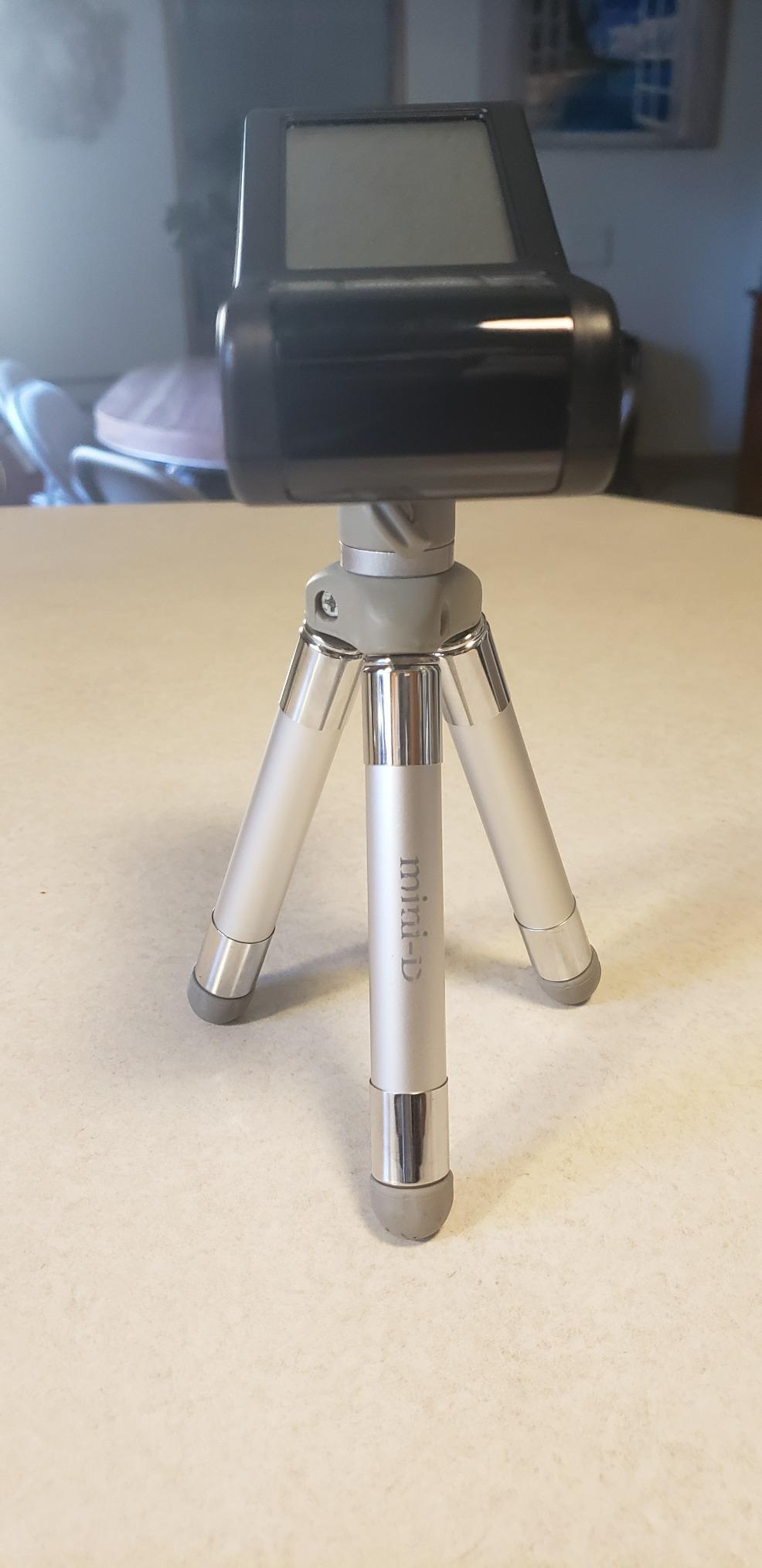
The PRGR HS 130-A is the one I recommend when someone tells me they just want to get faster. It measures club head speed with or without a ball, runs on AAA batteries, and needs no phone, no app and no Wi-Fi. You will not get launch angle or spin. You will get a repeatable speed number, and for swing speed training that is the whole job.
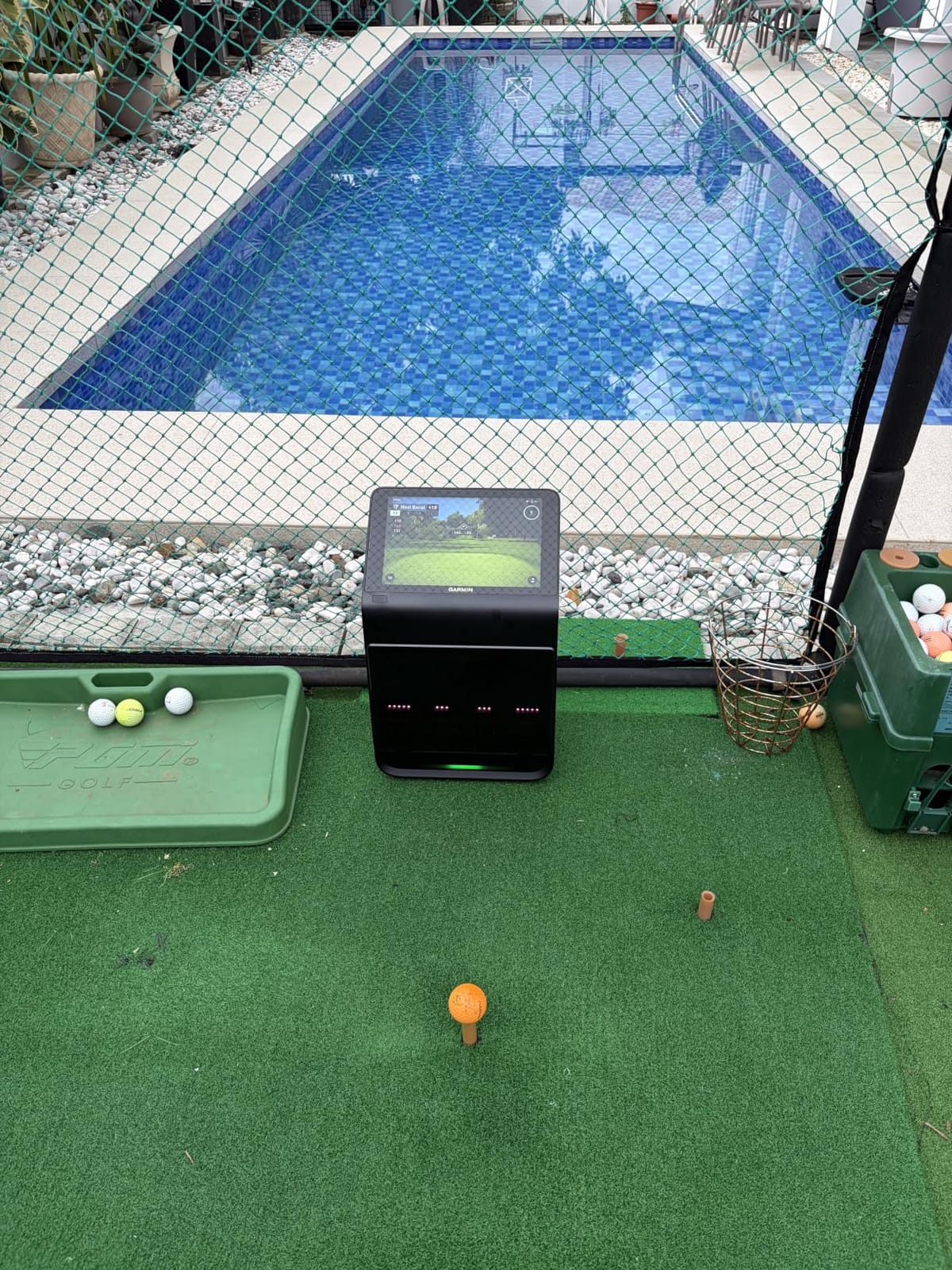
The Garmin Approach R10 is the accuracy pick in the mid-range. Garmin publishes tolerances of plus or minus 1 mph on ball speed and plus or minus 1 degree on launch angle and direction, which is the tightest spec claim in this group. It needs roughly 8 feet behind the tee, so it will not fit every basement.
All 10 Home Launch Monitors Compared Side by Side
Every monitor below appears with its measurement technology and the data that actually matters in a home bay. Read the technology column first, because it decides which of these will physically fit in front of you.
| Product | Highlights | Action |
|---|---|---|
 Rapsodo MLM Rapsodo MLM |
|
Check Latest Price |
 PRGR HS 130-A PRGR HS 130-A |
|
Check Latest Price |
| Garmin Approach R10 |
|
Check Latest Price |
 Voice Caddie SC200Plus Voice Caddie SC200Plus |
|
Check Latest Price |
 Rapsodo MLM2PRO Rapsodo MLM2PRO |
|
Check Latest Price |
 Garmin Approach R50 Garmin Approach R50 |
|
Check Latest Price |
 SkyTrak ST MAX SkyTrak ST MAX |
|
Check Latest Price |
 Uneekor EYE MINI CORE Uneekor EYE MINI CORE |
|
Check Latest Price |
 FlightScope Mevo Gen2 FlightScope Mevo Gen2 |
|
Check Latest Price |
 TheStack Radar TheStack Radar |
|
Check Latest Price |
1. Rapsodo MLM - The Best Launch Monitor for Tight Rooms and iPhone Golfers
Rapsodo Mobile Launch Monitor Golf Simulator | MLM...
Camera based
0.4 kg
7.72 x 2.28 x 6.85 inch
Bluetooth to iOS app
What we like
- Works in the tightest rooms on this list
- Reliable ball speed and launch angle
- Shot tracer video makes faults visible
- Per club averages and dispersion in the app
- Clips to a golf bag for range days
What could be better
- iOS only
- no Android or Windows support
- No spin rate measurement
- Setup alignment is finicky and misses shots if off
- Consumes large amounts of phone storage on video
The Rapsodo MLM is the monitor I keep recommending to people whose rooms are the problem. It is a camera system, so it sits beside the ball instead of behind it, and that single design decision removes the depth requirement that eliminates most radar devices in a finished basement.
In practice the data is narrower than the marketing suggests but more honest than most entry-level kit. You get ball speed, club speed, launch angle, carry distance and shot shape on every strike. What you do not get is spin rate, and that means no spin axis, no spin-based launch window work, and no club gapping that accounts for how much a wedge is spinning.
Accuracy holds up well through the irons and gets shakier with long woods and driver, which matches what owners report in the review history. Short irons are the sweet spot. If you are chasing driver speed and ball speed specifically, this is not the device that will tell you the truth most reliably.
Where It Fits in Your Room
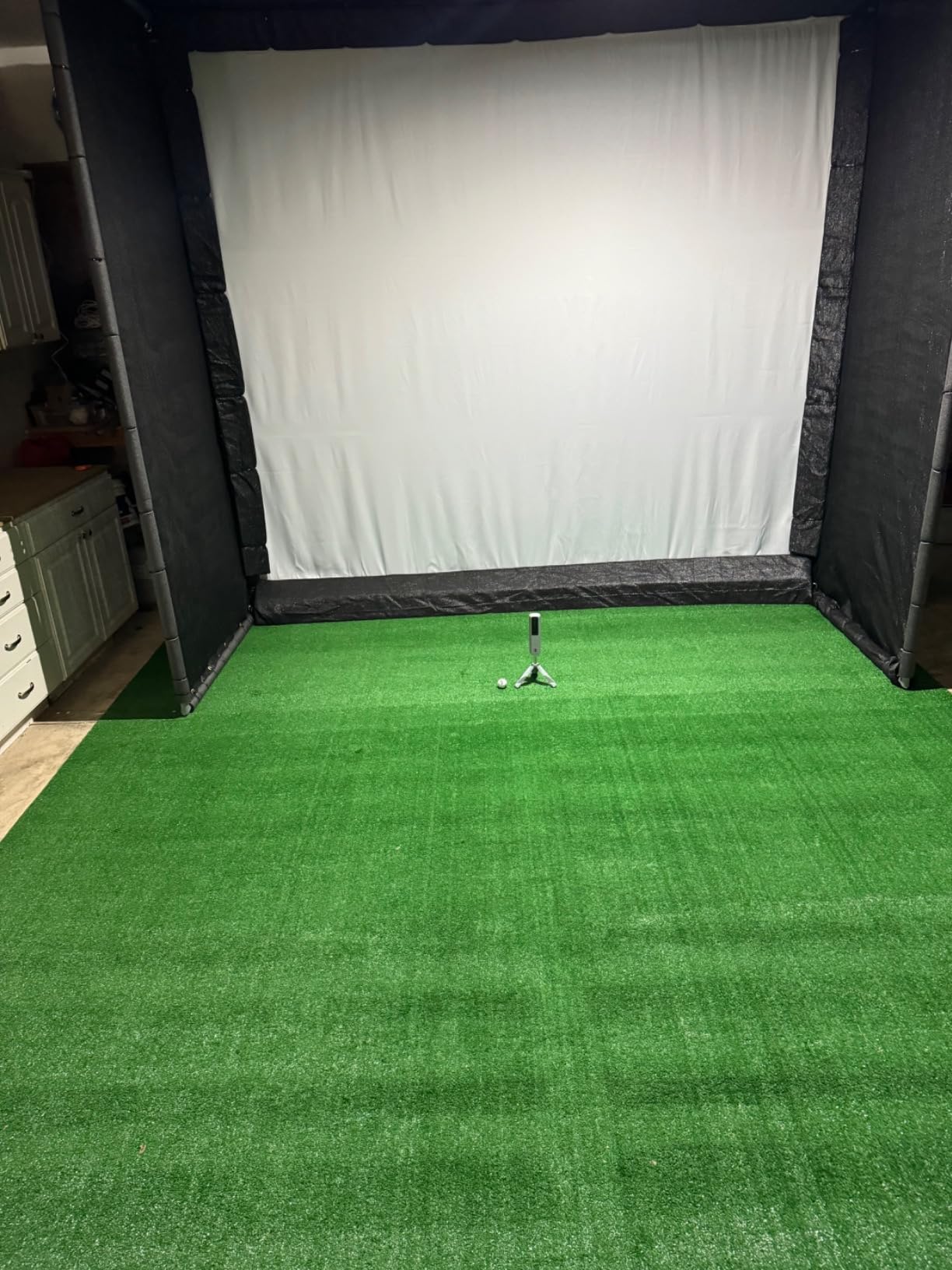
Because the optics face the ball from the side, the MLM needs roughly 10 feet of width beside the tee and far less depth behind it. That makes it the easiest unit here to install in a narrow bay, a basement corner, or a side of a double garage with a car still parked in it. You can hit a full driver without moving the car.
The tradeoff is lighting. Camera systems depend on consistent illumination and a clean line of sight from the device to the ball. A dark garage with one overhead fluorescent and a shadowed ceiling will produce missed shots that have nothing to do with your swing.
What the App Adds and What It Costs You
The companion app stores shot history, per club averages and dispersion, and records every swing with an on-screen tracer. That tracer is the feature that actually changed my practice habits. Seeing the ball start left and finish right tells you something in two seconds that a screen full of numbers does not.
There is no annual membership requirement for the core data. The costs are less visible: video files are large, so you need Wi-Fi-only upload settings turned on, and a phone sitting in direct sun can overheat and shut the session down mid-round. Both are manageable once you know about them.
Who Should Buy This and Who Should Not
Buy it if you are an iPhone or iPad golfer with a small room, if you want visual feedback more than you want spin data, and if you plan to practice in short and mid clubs. The tracer video alone justifies the money for most improvers.
Skip it if you own an Android phone or a Windows laptop, because there is no pairing path at all. Skip it too if your goal is launch-window work, since the absence of spin rate closes that door. Serious club gapping belongs with a system that reads spin.
The Rapsodo MLM stays my top pick for home use because room tolerance is the first thing that decides most purchases, and it wins that contest outright while still delivering the core metrics a home golfer needs.
2. PRGR HS 130-A - The Best No-Nonsense Doppler Trainer for Swing Speed
PRGR HS 130-A Portable Golf Launch Monitor...
Doppler radar
4.9 ounces
3.03 x 1.69 x 5.63 inch
AAA battery, 500 shot memory
What we like
- Measures club head speed with or without a ball
- Needs no phone app or Wi-Fi
- Pocket sized and always in the bag
- Stores 500 swings for progress tracking
- Also tracks baseball tennis soccer and hockey speed
What could be better
- No spin rate launch angle or apex data
- Carry and total distance are calculated not tracked
- Readings must be taken off a small display
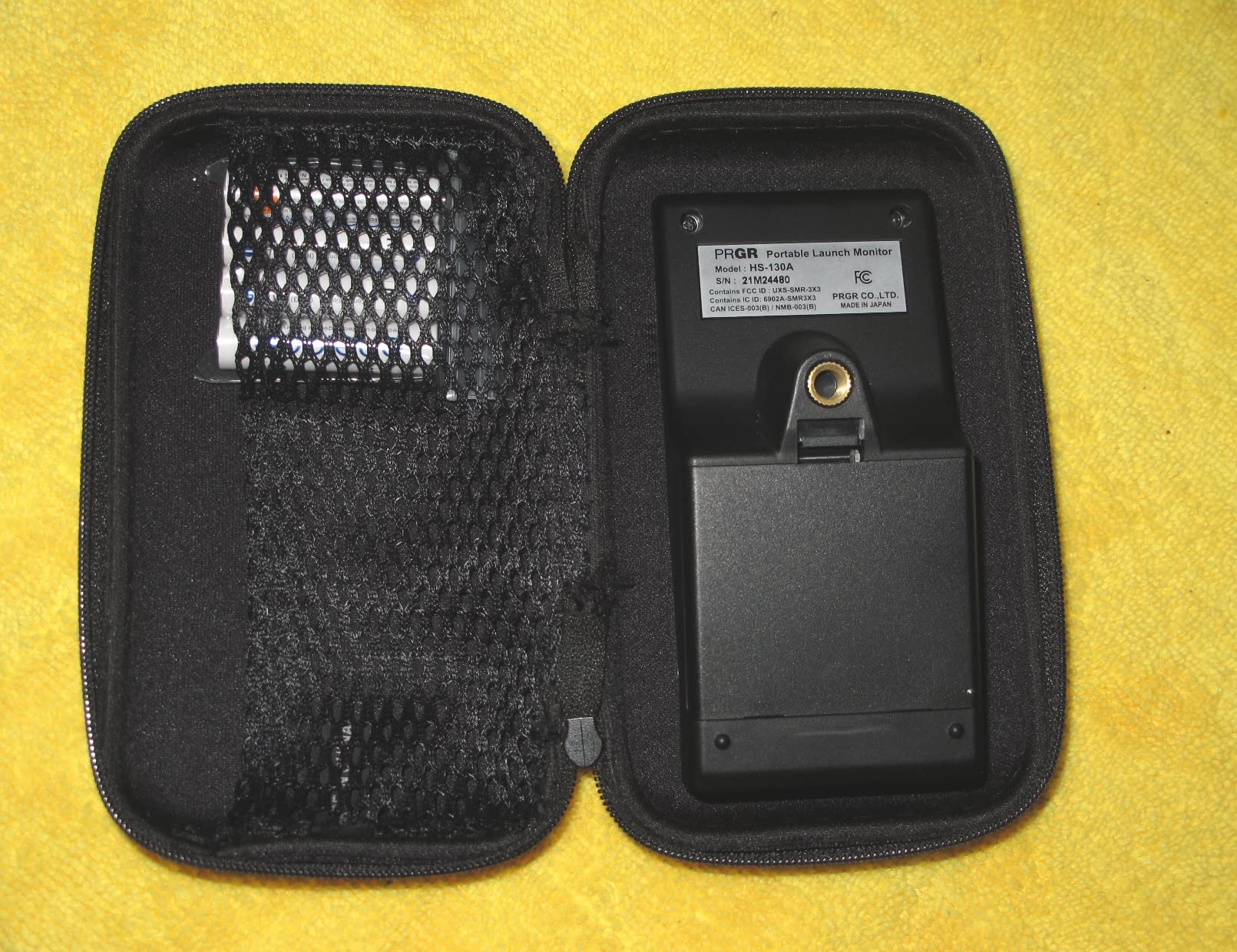
The PRGR HS 130-A does one thing and does it reliably: it measures speed. Club head speed with a ball, club head speed without a ball, ball speed, smash factor, and calculated carry and total distance. That is the whole feature set, and for a golfer chasing a faster swing it is genuinely enough.
The detail that makes this unit different is dry swing mode. It is one of very few launch monitors that will read club head speed on a practice swing with no ball in the bay at all, which means you can train in a hallway-sized room or on a mat while the rest of the house is asleep.
Reviewers consistently describe it as a no-fuss speed trainer that never needs pairing, charging beyond a set of batteries, or troubleshooting. It measures a 135 to 270 yard range and carries an IP54 water resistance rating, so rain on the range is not a reason to leave it in the car.
Radar Depth and What That Costs You
As a Doppler device it sits behind the ball, which means you need roughly 8 feet of clear depth behind the tee for a workable read. In a 20 foot bay that is fine. In a 12 foot basement it is not, and no amount of clever placement fixes a radar window that has no room behind it.
Inside a net, be careful with the frame. Metallic support poles and hard net hardware close to the reading zone can bounce the radar signal and corrupt the numbers. If your readings look erratic, move the device away from metal before you assume the device is faulty.
The Metrics You Get and the Ones You Will Not
Speed, ball speed and smash factor are directly measured. Carry and total distance are calculated from those readings and the club loft you select, which is why they drift from a laser rangefinder on long shots. Treat them as a consistent yardstick rather than a truth.
There is no launch angle, no apex, no spin, no shot shape and no dispersion. That is not a defect for a speed trainer, but it does mean this device cannot help you fix a strike pattern or dial in gapping. It answers one question well.
Best For Speed Work, Not For Swing Diagnosis
Choose the PRGR when your goal is measurable speed gain and you want zero friction between you and the number. Swings in, number out, five hundred shots stored. Owners who upgraded from phone apps appreciate the absence of connection problems entirely.
Look elsewhere if you want to see why a shot flew where it did. There is no video, no tracer and no launch direction, so this device cannot diagnose a hook or a strike. It reports how fast you moved, not where the ball went.
3. Garmin Approach R10 - The Portable Radar With the Tightest Published Accuracy Tolerances
Garmin Approach R10, Portable Golf Launch Monitor...
Doppler radar
340 g
IPX7 waterproof
Up to 10 hours battery
What we like
- Tight published accuracy tolerances for ball speed and launch angle
- Per club training mode with dispersion charts
- Automatic video capture with metrics overlaid
- Works indoors and outdoors
- Long battery life for full range sessions
What could be better
- Requires a paired smartphone and the Garmin Golf app
- No built in screen so the phone must be visible
- Simulated course play needs an active Garmin Golf membership
The Garmin Approach R10 is the radar unit I trust when I want a number I can argue with. Garmin publishes club head speed accuracy at plus or minus 3 mph, ball speed at plus or minus 1 mph, and launch angle and launch direction both at plus or minus 1 degree. No other unit in this group publishes tolerances that tight, which is why I trust it when I want a number I can argue with.
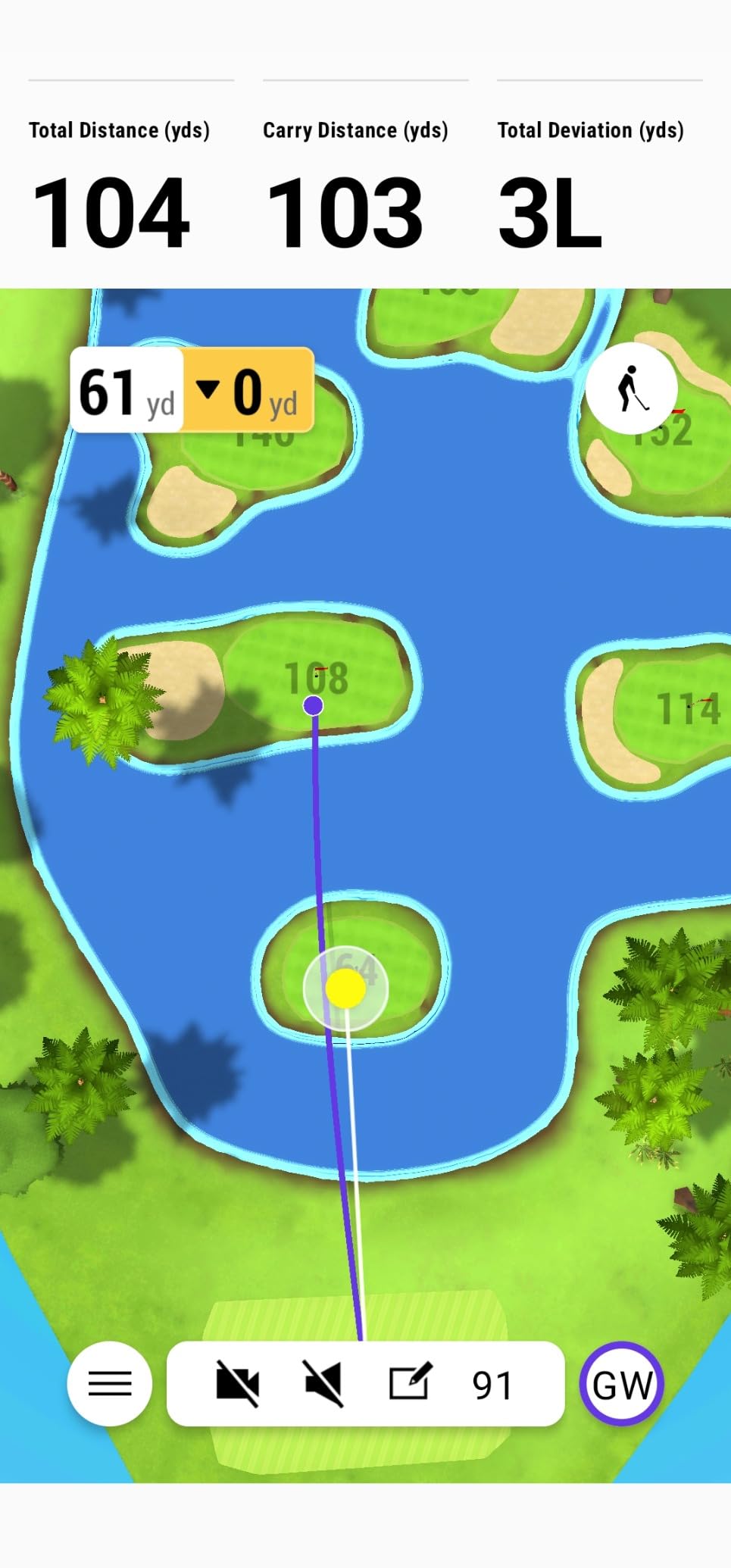
In the garage it tracks club head speed, ball speed, swing tempo, ball spin, launch angle and launch direction, then feeds the Garmin Golf app on your phone. Training mode keeps separate stats for every club and draws a dispersion chart, which is the single most useful view for finding a consistent miss pattern.
It is also among the most portable serious options here. At 340 grams with a tripod stand, a bag mount and a carry case, it moves from the net to the range without drama, and the IPX7 rating means rain will not stop a session.
Radar Room Requirements and Ceiling Clearance
The R10 is a floor unit that fires from behind the ball, so budget roughly 8 feet of depth behind the tee and enough width beside it for a full driver swing. It does not need to be mounted overhead, which makes it far easier to fit under a 9 foot ceiling than a ceiling-mounted system.
It also does not consume floor space in front of the ball the way a camera unit positioned beside the tee can. That balance is why it works well in a converted garage with a net at one end and storage on the other.
Training Mode Is Where the Real Value Lives
Per club statistics plus a dispersion chart lets you see that your 7 iron grouping is an inch wider to the right than it should be. That single visual is worth more than a dozen extra metrics you never look at. Owners who use training mode tend to get more out of the device than owners who only watch swing videos.
Automatic video capture with the metrics of that swing overlaid is genuinely helpful for contact quality. You can scrub back and see whether the ball started on the face or under the toe. That is a drill you can actually fix.
Subscriptions, Screen Dependence and the Trade
The core practice data works with the app and no membership. The 42,000 plus virtual courses and weekly tournaments do require an active Garmin Golf subscription, and that is where the recurring cost lives. If you only hit into a net, you never pay it.
The bigger annoyance is that there is no screen on the device. Everything appears on a paired phone, so the phone has to be mounted and visible from the tee. Reviewers who prefer a standalone readout find this the weakest part of the design.
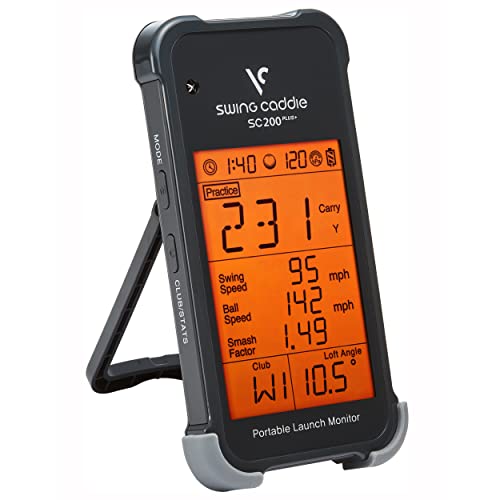
4. Voice Caddie SC200Plus - The Best Budget Radar With Voice Feedback and Ball-Free Practice
Voice Caddie SC200Plus Portable Golf Launch...
Doppler radar
8 ounces
LCD with voice output
Up to 20 hours battery
What we like
- Voice output plus LCD gives hands free feedback
- Swing speed mode works with no ball in the room
- Adjustable simulated loft angles for different clubs
- Stores per club statistics without a phone
- Long battery life for extended practice
What could be better
- Older data presentation than newer camera competitors
- No spin rate and no video analysis
- Radar accuracy degrades at very short and very long distances
- Shot data stays on the unit instead of syncing to a phone
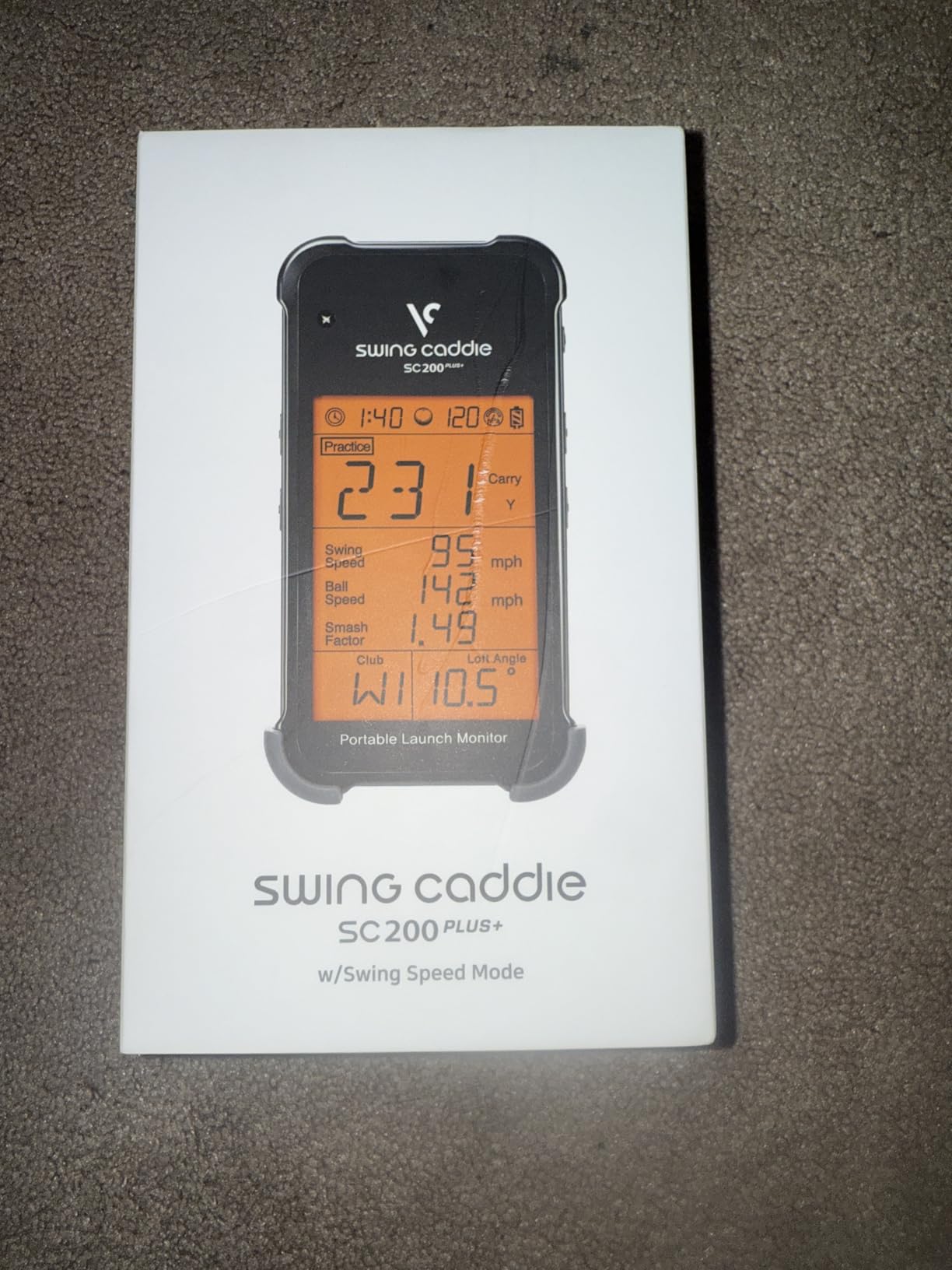
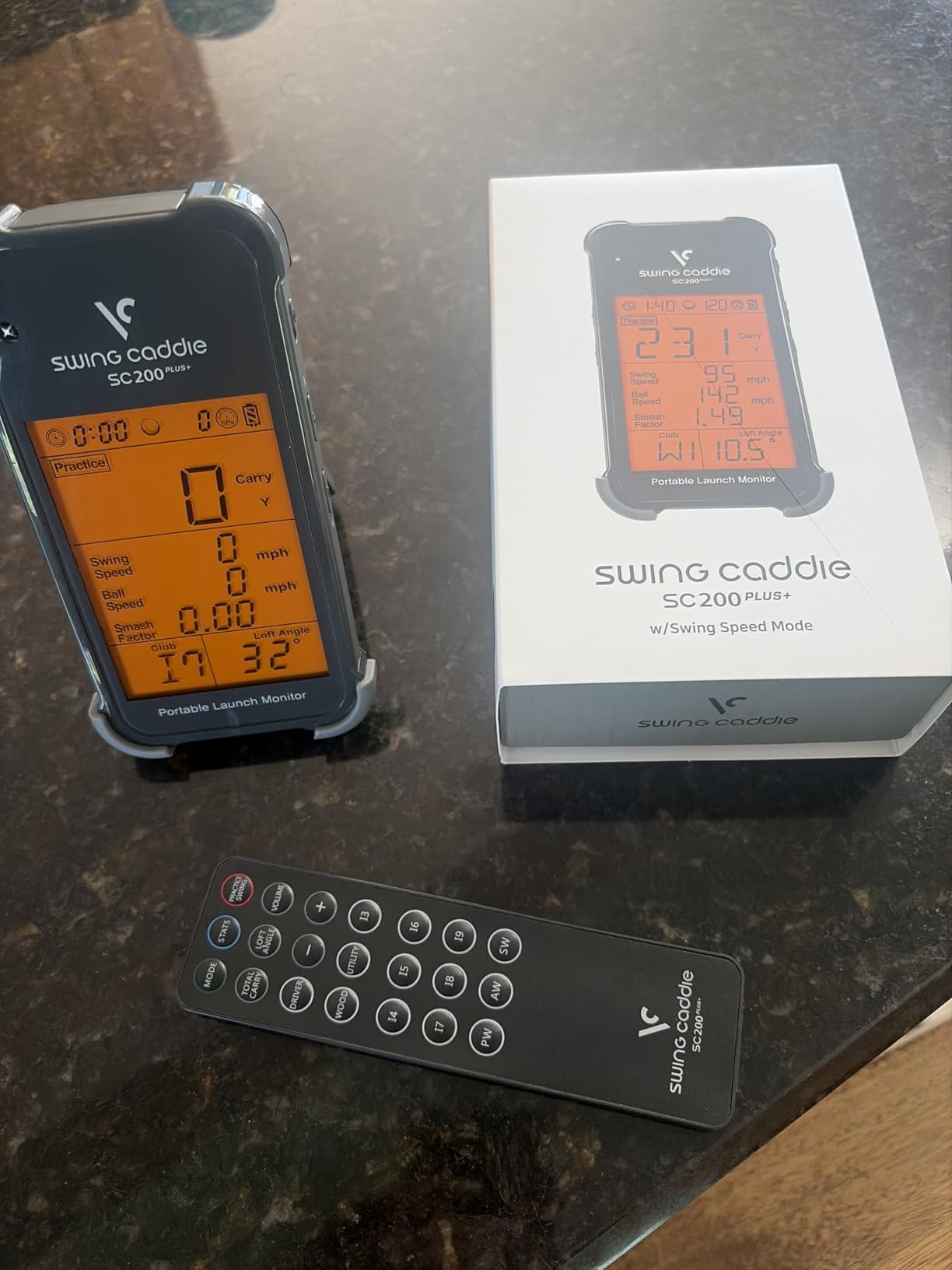
The Voice Caddie SC200Plus is the monitor to buy when more than one person in the house will use it. It reads out every shot by voice and shows the same number on an LCD, so you do not need a phone, an account or a pairing ritual to start hitting balls.
Like the PRGR it offers a swing speed mode that works without a ball, and combined with adjustable simulated loft angles you can rehearse a specific wedge speed in a spare room with no net and no balls at all. Owners who train indoors in winter call that the feature that keeps them playing.
The technical heart is Doppler radar with atmospheric pressure calibration sensors, which matters more indoors than most buyers realise. Pressure sensors let the unit adjust distance readings for the conditions where the machine sits rather than where the range normally is.
What You Get in the Box and What You Learn
A remote is included, and the unit stores shot data and club statistics so you can pull average distance per club later without exporting anything. It runs on batteries for up to 20 hours, and the warranty runs one year from purchase.
The honest limitation is the age of the feature set. There is no spin rate, no video and no dispersion chart. You get speed and distance in a friendly format and nothing more sophisticated.
Accuracy Limits Worth Knowing
Reviewers report that radar accuracy degrades at both ends of the distance range, which is precisely where most home practice happens. Very short wedge flights and long full swing flights are the weak spots, and drivers on a short indoor flight are where numbers get soft.
That makes this a fine speed and tempo trainer and a mediocre distance authority. If carry yardage is the number you want to trust, a camera system is a better fit.
Best for Shared Households and Beginners
Buy it for a household where two or three people of different heights will take turns, because there is no account to switch and the voice readout works for anyone. It is also the easiest unit here to hand to a beginner who will be intimidated by an app.
Pass on it if you are chasing spin, dispersion or a visual tracer. This is a numbers-and-voice device, and its simplicity is both the reason to buy it and the reason to skip it.
5. Rapsodo MLM2PRO - The Best Value When You Need Real Spin Data Indoors
Rapsodo MLM2PRO Mobile Launch Monitor Golf...
Radar plus dual cameras
16 ounces
1280 x 800 LCD
Includes tripod case and 3 balls
What we like
- Reads spin rate spin axis and club path at this price
- Dual cameras give slow motion impact video
- Carry and total distance check out against a laser
- Build quality and tripod feel premium
- Works on both iOS and Android
What could be better
- Wi-Fi connection problems and mid session dropouts
- Simulated courses share one flat background
- Short chipping and fast greens frustrate golfers
- Needs marked balls and a paid membership for most features
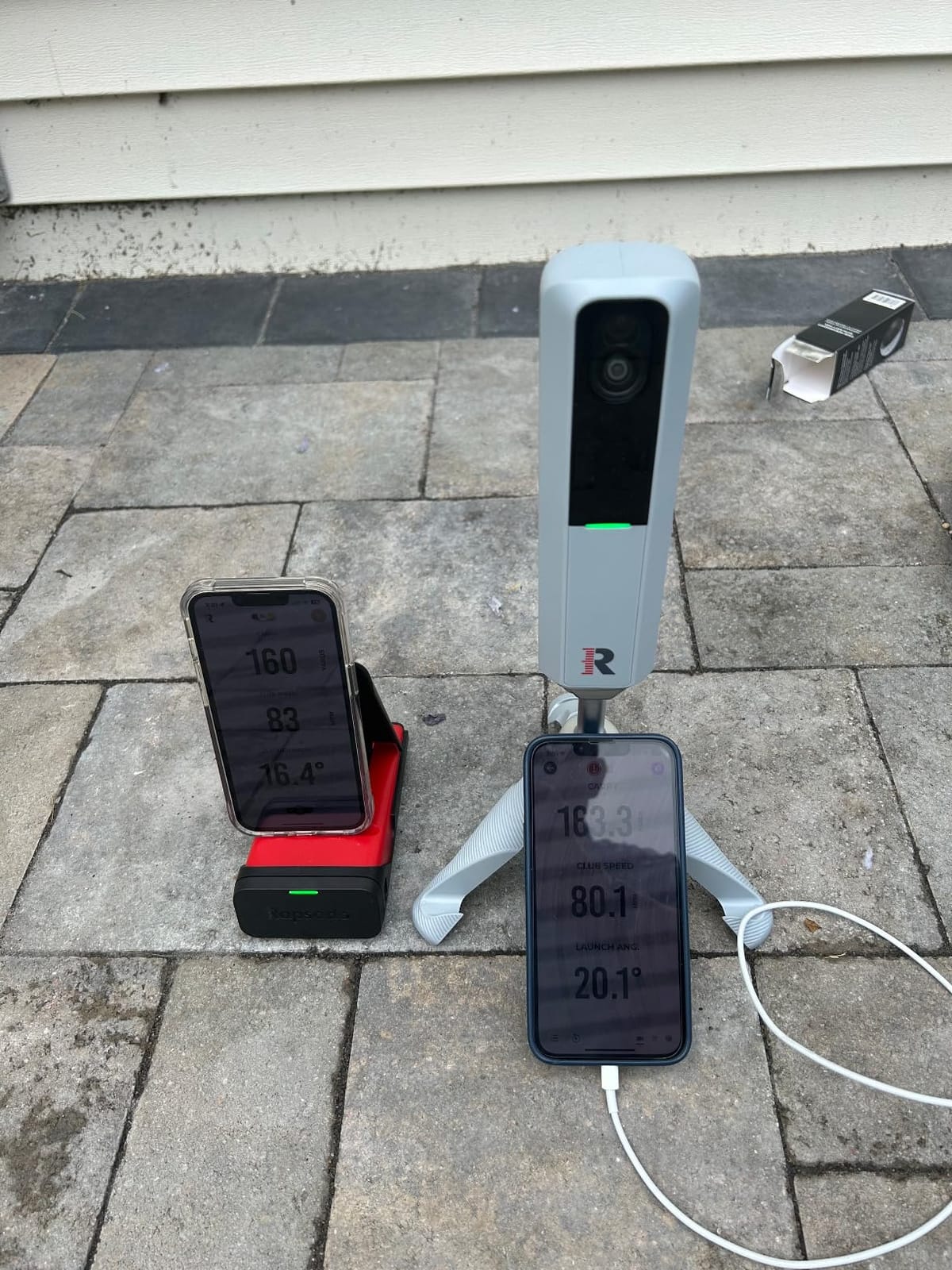
The MLM2PRO gives you the widest metric set of any device at this budget level, and the reason is the combination of Doppler radar with a dual camera system. Fifteen metrics land on your phone after every shot, including spin rate, spin axis and club path, which is a genuinely different category of information from anything cheaper.
Reviewers who checked carry and total distance against a laser rangefinder found the numbers held up, and the dual cameras give you a slow motion view of club and ball contact plus swing video from more than one angle. Build quality is a step above the plastic units in this class.
The trade is software. That is the honest headline. The sensor is good; the experience around it is where owners get frustrated, and that has to shape your expectations before you buy.
Marked Balls Are Part of the Deal
This configuration includes three Callaway RPT Chrome Soft X balls. The system reads spin from a dimple pattern on those balls, so for full spin rate and spin axis you need to hit marked balls and keep using them. Hit a cheap two-piece and the spin numbers are not the same data.
For a home setup that is a manageable habit. Keep a bucket of marked balls next to the mat, treat them as training ammunition, and the accuracy holds. Owners who mix ball types without noticing are the source of most spin complaints.
The Software Reality
Wi-Fi connectivity problems are the most common negative theme, with dropouts that interrupt a simulated round and push users into a direct connection mode that then consumes cellular data. Connection stability is the single most common reason owners consider returning this device.
Beyond connectivity, the simulated courses all share one flat background, which makes play feel repetitive, and chipping under ten yards reads poorly with greens that run fast. If you mostly hit irons and wedges into a net, you will rarely touch those features.
The Membership Question and Third Party Apps
A 45 day premium trial is included, and the 30,000 plus home simulator courses come with a Premium membership. Treat that as an annual decision, not a requirement, because the core metrics and the third party integration both work without it.
It connects over Bluetooth to third party suites such as Awesome Golf, which is how a lot of owners get a better simulator experience than the bundled one. That integration path is a real advantage over closed systems.
Best For Golfers Who Want Spin Without the Premium Price
Buy it if spin rate, spin axis and club path are numbers you intend to train on, and if you can commit to marked balls. Nothing else in this price range gives you that data with a dual camera safety net behind it.
Skip it if you are not comfortable troubleshooting a phone connection mid-session. Owners who had a stable network report an excellent experience; owners who did not report the opposite.
6. Garmin Approach R50 - The Best All-In-One Touchscreen System for a Finished Simulator Room
Garmin Approach® R50, Premium Golf Launch Monitor...
Three camera system
10 inch color touchscreen
9 pounds
HDMI output
What we like
- Three camera system for high precision ball and club data
- Large built in touchscreen removes the need for a phone
- High speed impact video for instant strike feedback
- Built in barometer corrects carry for altitude and pressure
- HDMI output lets you drive a projector or larger display
What could be better
- Highest hardware cost in this group
- Virtual rounds and Home Tee Hero need a Garmin Golf membership
- Face to path requires the included tracking stickers
- Only four hours of battery life
- Heavy and bulky compared with portable alternatives
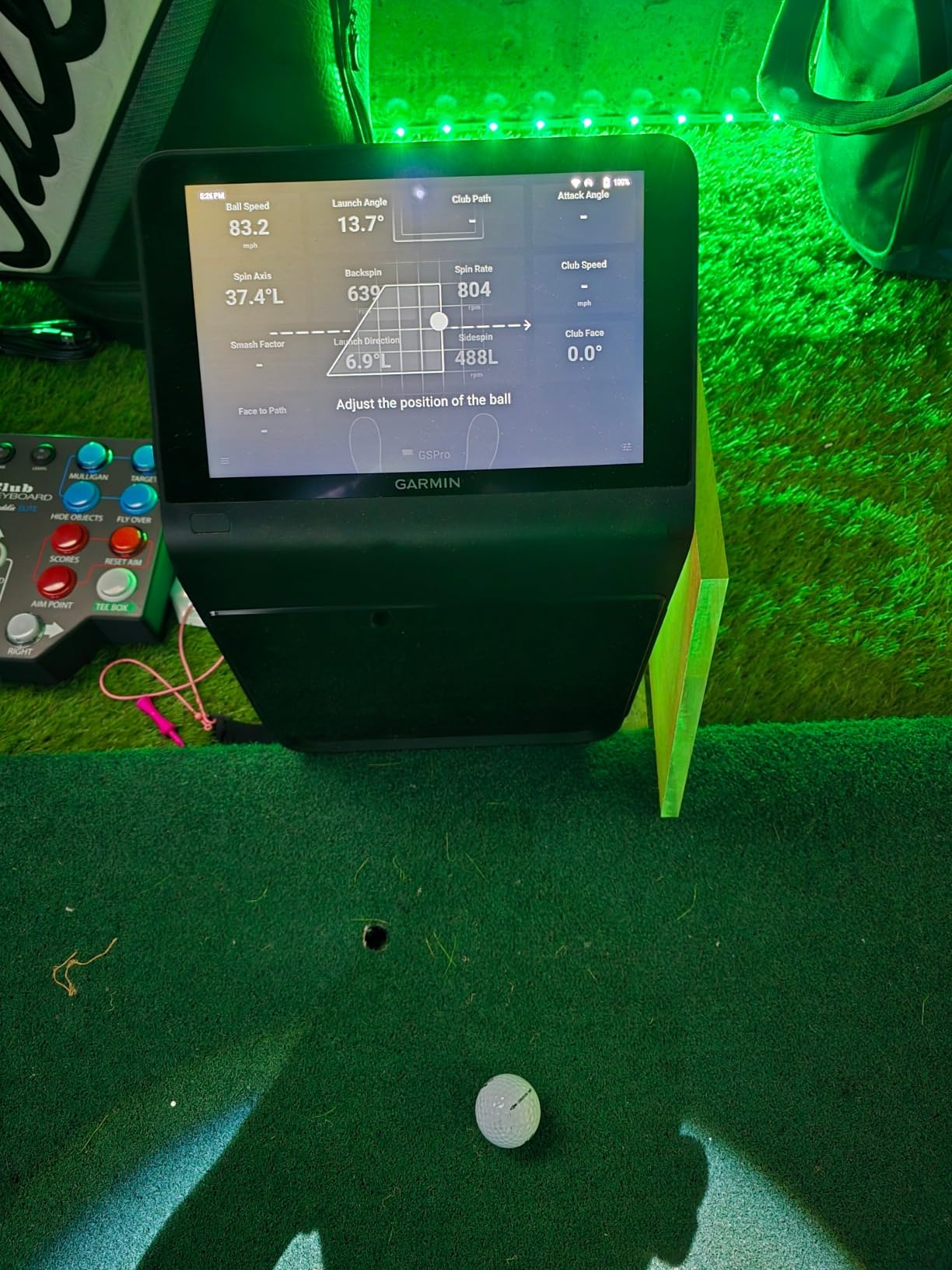
The Garmin Approach R50 is the only device here that does not need your phone at all. A ten inch colour touchscreen on the front handles course selection, training mode, impact video review and virtual rounds, which turns a launch monitor into self-contained equipment rather than a sensor that borrows your handset.
Measurement is handled by a three camera system that covers ball speed, launch angle, face to path, spin rate and spin axis. A built in barometer measures atmospheric pressure so carry distance adjusts for altitude and weather, which is a meaningful correction if you use it on a range above sea level.
It measures nine pounds and runs about four hours on a charge, so this is a device that stays where you put it. That suits a dedicated simulator room and frustrates anyone who wants range and garage in one bag.
Face to Path Needs the Stickers
The face to path metric, which tells you how square or closed the clubface is relative to the path at impact, requires the included club stickers on the striking face. Apply them and the metric works. Skip them and you lose the single most useful number for fixing a curved miss.
This is a small step that produces a large payoff. It is also one more thing to explain to a guest who picks up a different club.
The Simulator Software Picture
Virtual rounds including putting for up to four players run through Home Tee Hero on more than 43,000 courses, and that does require an active Garmin Golf membership. HDMI output is the reason this device earns its cost in a finished room, because it drives a projector or a larger display mounted in front of the bay.
The training mode keeps per club statistics and an advanced dispersion chart, so this one covers practice and play without forcing you to switch ecosystems.
When the Premium Tier Makes Sense
The price gap to everything else on this list is large, so the case rests on the screen and the barometer. If you are building a room you will use every day for years, a touchscreen you can walk up to and a carry number corrected for your actual location are worth real money.
It is the wrong call for a range-only golfer or for anyone who wants to carry one device between the garage and the field. The weight and the four hour battery make that lifestyle difficult.
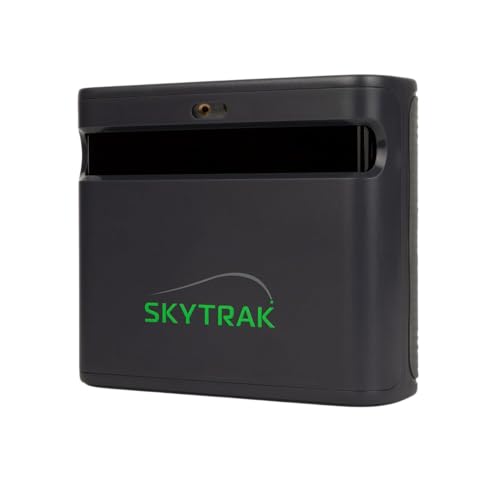
7. SkyTrak ST MAX - The Best Launch Monitor With Guided Speed Drills Built In
SkyTrak ST MAX Golf Launch Monitor with 1-Year...
Dual radar plus photometric cameras
5 pounds
About 10 ft by 10 ft space
One year software included
What we like
- Combines dual radar with photometric cameras for full ball and club data
- Only launch monitor here with guided speed drills built in
- Skills assessments and bag mapping in the software
- Reliable reads in shaded or covered areas
- Native Mac compatibility with one year of software included
What could be better
- Small hitting zone causes frequent no reads
- Needs roughly 10 ft by 10 ft of clear space indoors
- Ongoing software subscriptions are expensive
- Hard wired USB mode can be unstable and miss shots
- Driver distances reported short by some users
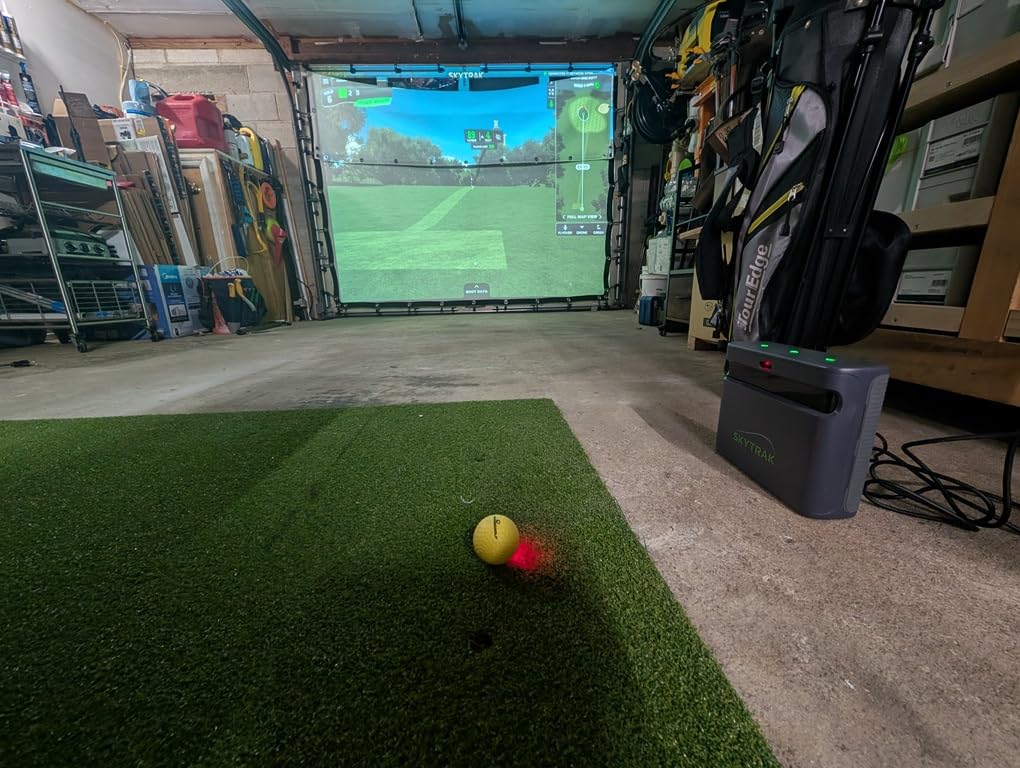
The SkyTrak ST MAX pairs dual Doppler radar with photometric cameras, which is the combination serious buyers want, and it adds something no other device here has: guided speed training with drills and personalised swing insights built into the hardware.
The software suite includes Skills Assessments, Bag Mapping, Wedge Matrix and Randomized Practice modes, so you can map your distances by club, build a wedge matrix and then hit a randomised test to see whether the work transferred. That structure is what separates a training tool from a reporting tool.
Owners also note native Mac compatibility, which matters more than it sounds for anyone building a home setup on a laptop rather than a gaming desktop. Setup is largely plug and play, and the modular internal architecture is designed for consistency over years of use.
The Hitting Zone Is the Main Constraint
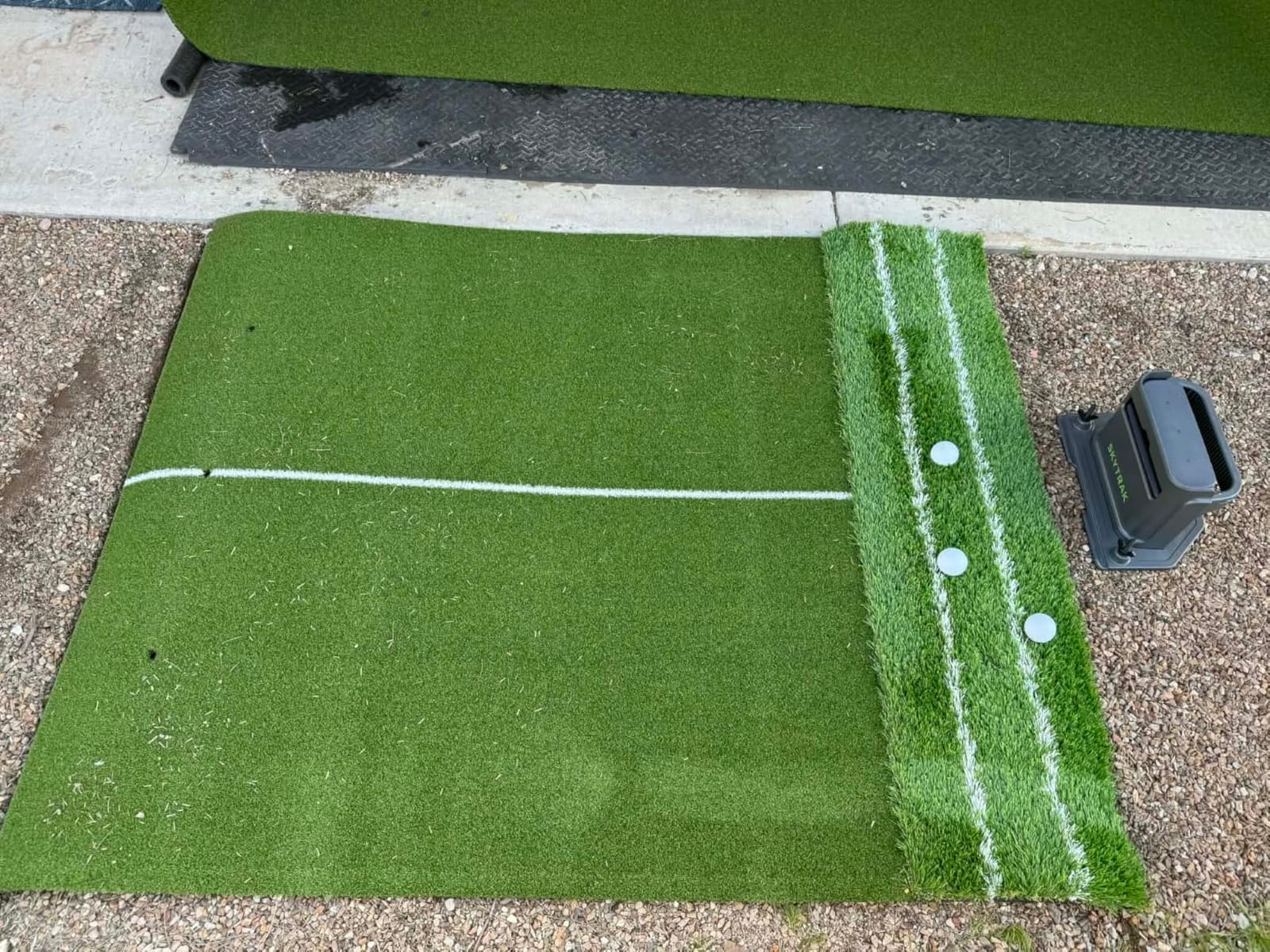
The ST MAX has a small hitting zone and it produces no reads when the ball is not placed precisely. This is the most common practical complaint in reviews, and it is a placement problem rather than a sensor problem. Build a tee that holds the ball in one spot and most of the frustration disappears.
Space is the other constraint. Owners recommend roughly 10 feet by 10 feet of clear space to swing naturally indoors, which fits a standard bay but not a shallow basement. Unlike a radar unit it does not need depth behind the ball, so a square footprint is what you are buying into.
Connectivity Modes and What Breaks
There are two paths. Hard wired USB mode transfers data and charges but can be unstable and cause missed shots. Wi-Fi direct mode works more reliably but blocks course downloads while active. Neither is ideal, and knowing which mode suits your session saves frustration.
Dual USB-C ports allow simultaneous charging and data transfer, which helps during long sessions. Some owners still report driver distances reading 20 to 30 yards short, so verify carry against a laser before you trust the number for gapping.
The Software Cost Question
One year of software is included and a 14 day trial runs before that, which is friendlier than paying from day one. After the first year the ongoing subscription gates most course play, and owners consider it expensive relative to the hardware.
Judge it this way: if you will use the guided drills and bag mapping every week for a year, the first included year pays for itself in training structure. If you want to play virtual courses indefinitely, compare the recurring cost against alternatives that include lifetime course access.
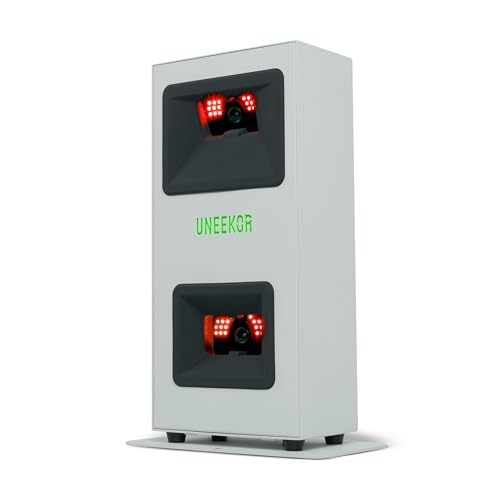
8. Uneekor EYE MINI CORE - The Best Pick for a Full Simulator Build With a Gaming PC
Uneekor EYE MINI CORE Golf Launch Monitor...
Dimple Optix ball reading
Metal body
8.4 pounds
Wired Ethernet, 2 year warranty
What we like
- Excellent accuracy with essentially no misreads over thousands of shots
- Large forgiving ball placement area
- Reads any ball with no stickers including foam practice balls
- Solid all metal build
- Hardwired Ethernet gives near instant results
- Fast responsive support team
What could be better
- Club data needs a later software upgrade
- A third party subscription is needed to connect with GSPro
- Requires a powerful gaming PC and usually a second display
- Not portable and cannot be used with an iPad
- Reads only about 30 percent of putts and delicate chips
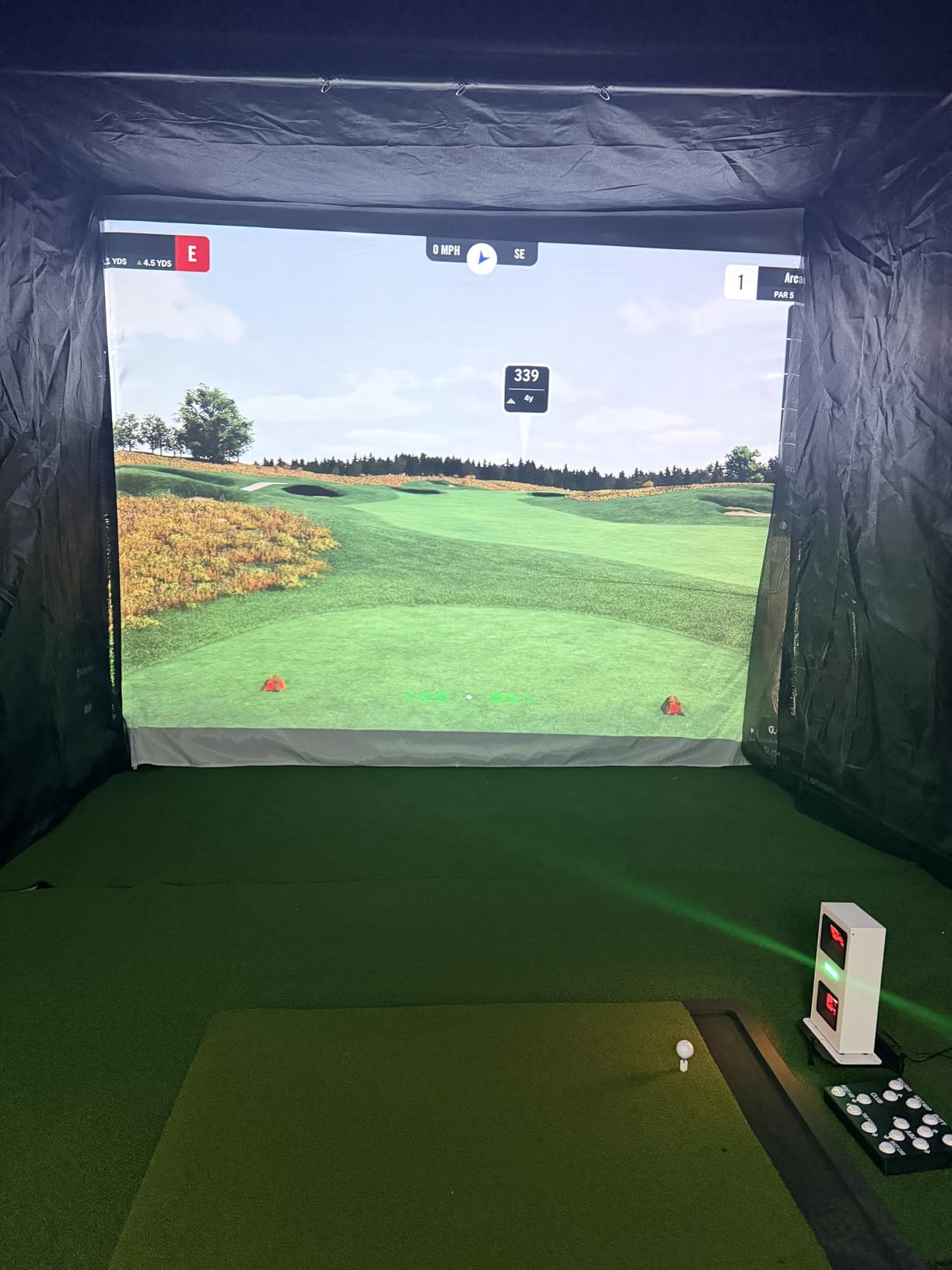
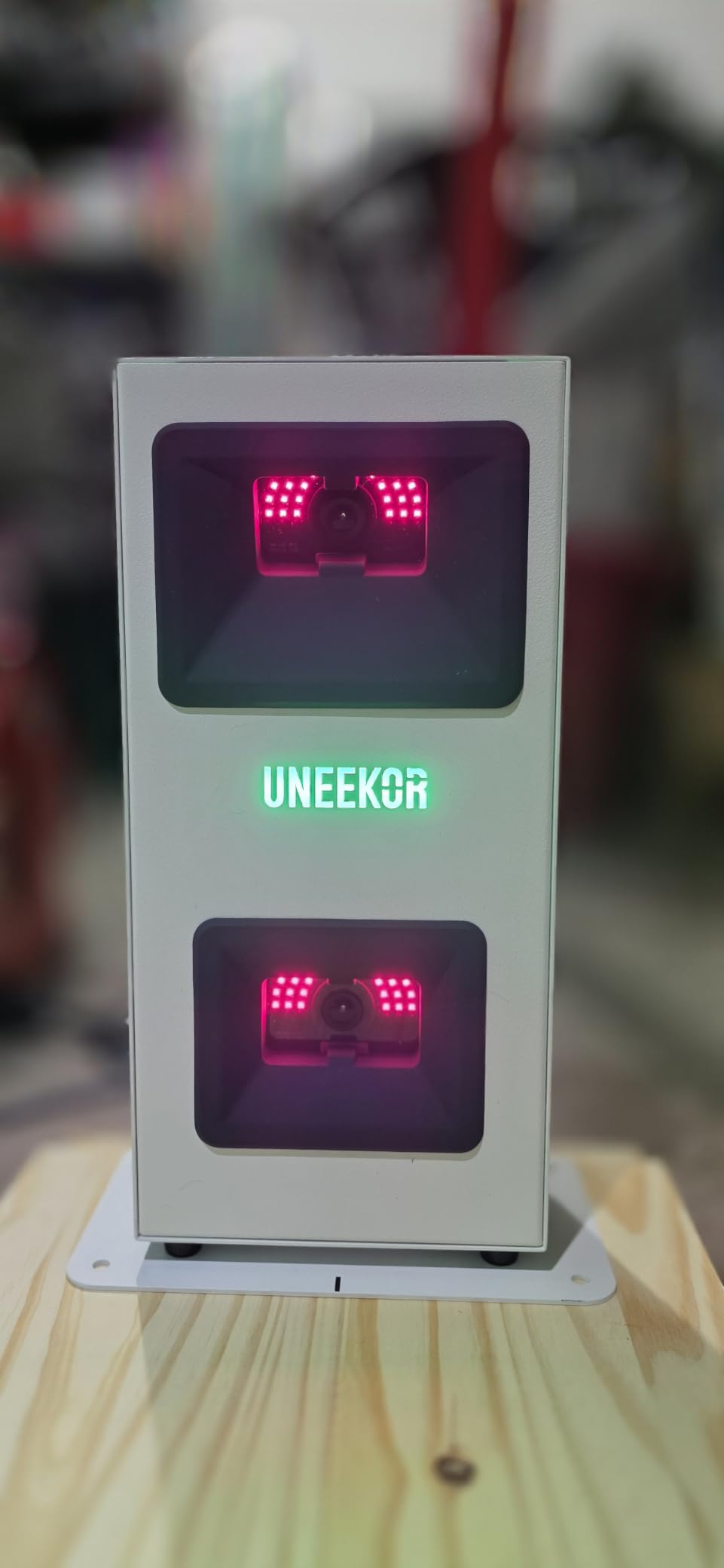
The Uneekor EYE MINI CORE is not really a launch monitor, it is a simulator sensor, and that framing explains every strength and every complaint. It uses high speed cameras with infrared sensors for near zero latency, and it reads the ball through a system called Dimple Optix that works with any dimple pattern. No stickers, no marked balls, and foam practice balls work.
That last point matters more than it sounds. It means your ball supply is unlimited and your training balls cost a fraction of what marked balls do. Owners also report a large, forgiving ball placement area that produces far fewer no reads than cheaper devices.
The build is metal rather than plastic, the warranty runs two years, and support is reported as responsive during configuration. This is a well made piece of equipment.
What You Need Running Alongside It
Be clear-eyed about the requirements. VIEW software analysis needs an i5 Gen12 or Ryzen5 equivalent with 16 GB RAM, a 256 GB SSD and an RTX 3060 with 6 GB. Simulation mode steps up to an i7 Gen12 or Ryzen7 with 32 GB RAM and an RTX 4070 with 16 GB. GameDay wants dual displays.
Those are published specifications, and they are the reason this device cannot sit in a spare bedroom on a laptop. It needs a wired Ethernet connection through the included cable, so think about where the PC will live before the sensor.
Club Data Is a Separate Upgrade
At this level you get 15 ball data points, which is the ball flight picture. Club metrics such as swing speed, swing direction and face to path are not included and arrive with a later software upgrade alongside the real time Club Optix impact visuals.
Budget for that step if club data is why you wanted a launch monitor. Owners who bought expecting everything at once were disappointed; buyers who planned the upgrade sequence are satisfied.
Third Party Software and the Recurring Cost
This is the strongest argument for the device. It works with GSPro, E6 Connect, TGC19 and Creative Golf 3D, so you are not locked into one ecosystem and the suite question that dominates forum threads does not apply here.
The catch is that those third party suites carry their own recurring membership on top of the hardware. A three month trial of the Ultimate Package is included so you can test the full experience, including GameDay competitive modes and online play, before committing.
Best For Committed Sim Builders
Buy it if you already have or are building a gaming PC simulator bay and you intend to use GSPro or E6. Accuracy and reliability over long sessions are the reason people choose it, and the no sticker ball reading keeps ongoing costs down.
Skip it if you want a portable device, an iPad workflow, or reliable putting. Owners report it reads roughly 30 percent of putts and delicate chips reliably, so short game and putting should be covered by something else.
9. FlightScope Mevo Gen2 - The Best Subscription-Free Pick With 18 Data Parameters
FlightScope Mevo Gen2 Portable Golf Launch Monitor...
3D Doppler radar plus image processing
1.1 pounds
6 hour battery
8 E6 courses for life
What we like
- No subscription and no annual license fees with 8 E6 courses owned for life
- 18 parameters covering full swing chipping and putting
- 3D animated shot tracer adds real visual insight
- Lightweight and portable with up to 6 hours battery
- Patient helpful support
- Some buyers fixed setup issues with firmware updates
What could be better
- Setup is difficult especially connecting an iPad
- Distances read off unless elevation is set correctly
- Some units track only a small fraction of shots
- Connection drops reported by some owners
- Only one device can connect at a time
- Some simulated courses need demanding graphics cards
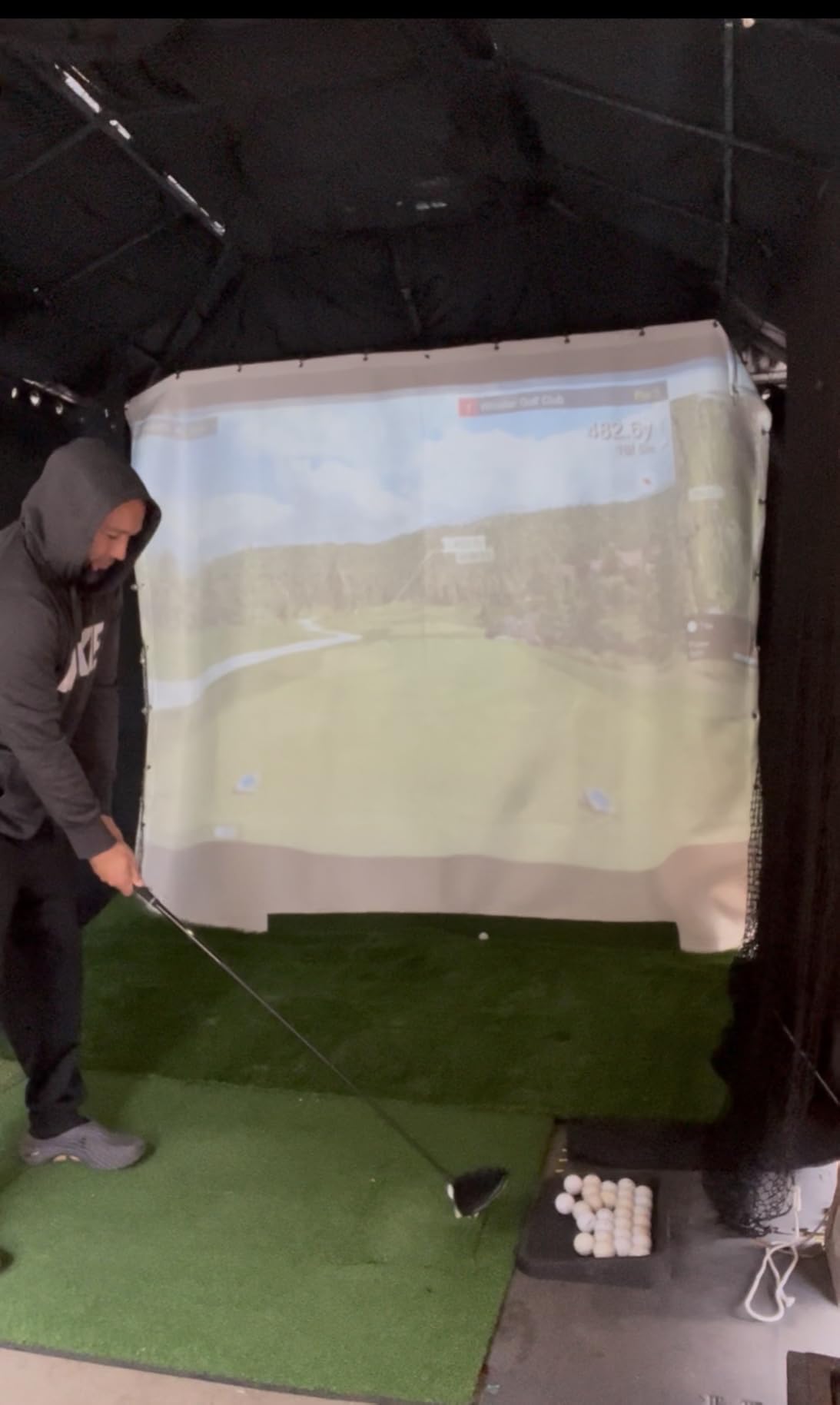
The FlightScope Mevo Gen2 is the pick here if subscription fatigue is what stops you buying. Eight E6 Connect courses including Kiawah Ocean Course and Torrey Pines are included with lifetime ownership, and there are no annual license fees on the FS Golf app, the FS Skills app or the shot tracer.
The measurement side uses FlightScope Fusion Tracking, a 3D Doppler tracking radar with synchronised high speed image processing. It reports 18 parameters spanning full swing, chipping and putting, and a range ball setting improves accuracy on driving range balls that most monitors misread.
At 1.1 pounds with up to 6 hours of battery, it is also the most portable serious unit in the group. The internal front facing camera supports multi cam with up to three mobile devices, and you can draw lines and circles on the video and record voiceover over it.
Setup Is the Hardest Part
Difficulty connecting, particularly to an iPad, is the single most common thread across reviews. Some buyers needed support to get it running, and some fixed early connection problems with firmware updates. If you are not comfortable with a setup call, budget time for it.
One device connects at a time, which makes sharing between family members awkward. In a household where two people alternate on the same bay, that limitation shows up immediately.
Elevation and the Distance Question
Distances can read well off unless elevation is set correctly, and that is a configuration step you must not skip. A garage at elevation is a real condition, not an edge case. Check a known club against a laser before you trust the gapping numbers.
Some owners report units tracking only a small fraction of shots and failing to register properly, while others report the opposite after updates. The review set here is genuinely split, which is why this sits below the camera and radar leaders in my ordering.
Why Lifetime Courses Still Matter
Over three years, a subscription device can add several hundred dollars of ongoing cost to a purchase price that looked modest at first. The Mevo Gen2 removes that line entirely, and for a golfer who plays simulated courses every week in winter, that is a real saving rather than a marketing line.
Some of the included courses also carry demanding graphics card requirements, so check what your PC can drive before planning around a specific course list.
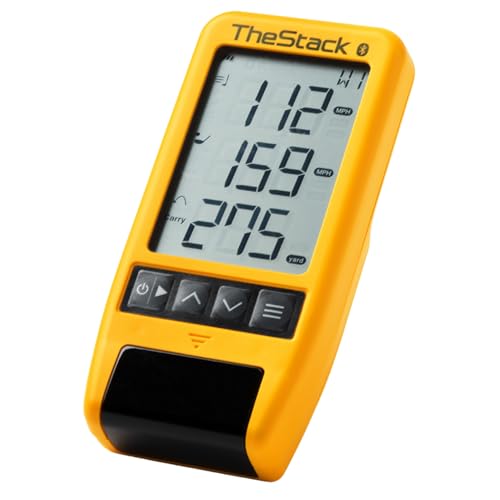
10. TheStack Radar - The Best Compact Choice for Wedge and Speed Training Apps
TheStack™ Radar - Portable Golf Launch Monitor...
Radar speed and ball tracking
0.12 kg
Bluetooth to iOS and Android app
Wedging and putting apps bundled
What we like
- Highest average rating among the devices in this comparison
- Swing speed ball speed smash factor and carry estimates
- Stack Wedging and Stack Putting add structured practice
- Bluetooth pairing with TheStack App is fast and simple
- Very compact and easy to carry in a golf bag
What could be better
- Training focused rather than a full launch monitor
- No spin rate launch angle apex or dispersion data
- Stack Wedging and Stack Putting are iOS only
- Carry distance is calculated rather than optically tracked
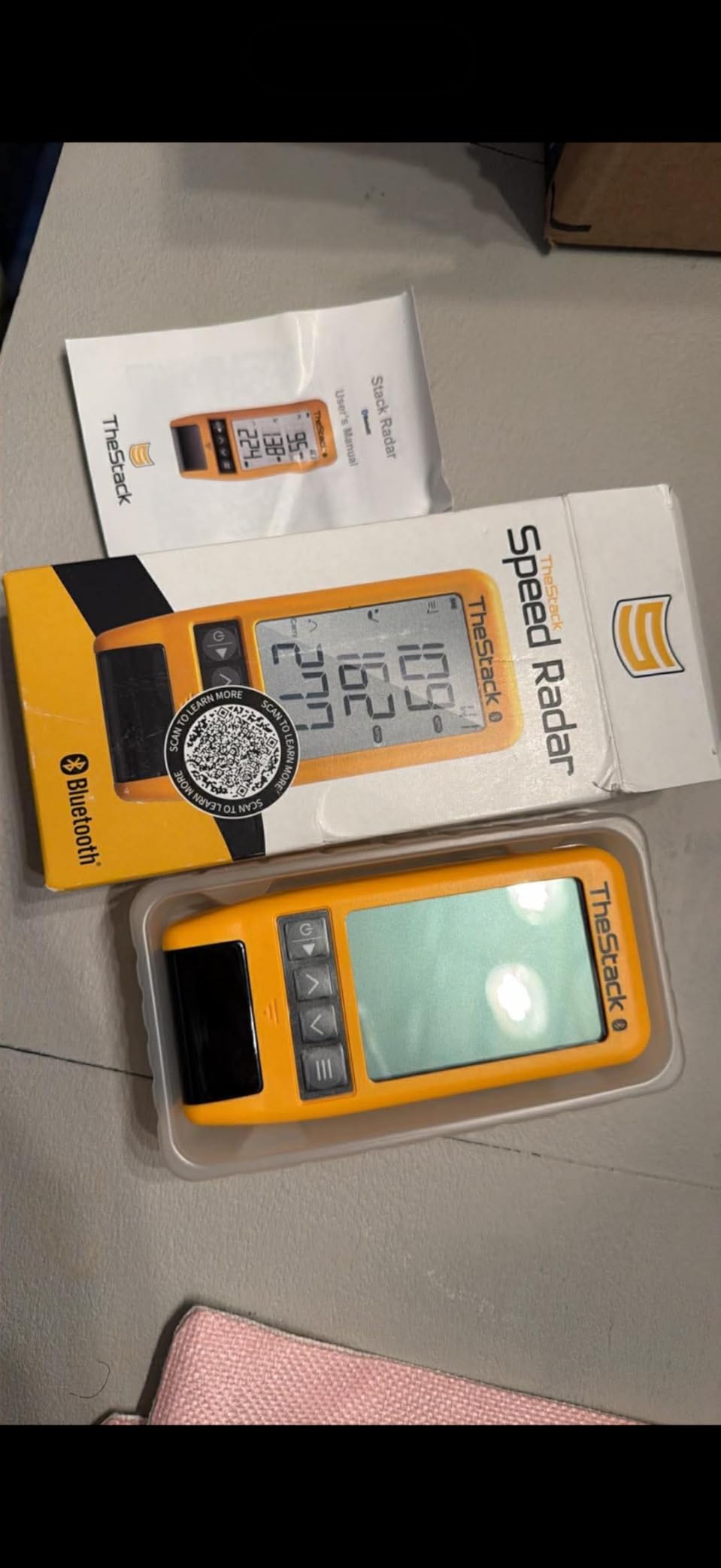
The Stack Radar earns the highest satisfaction score of anything we ran, and the reason is scope discipline. It measures swing speed and ball speed by radar, then calculates smash factor and an estimated carry distance, and it connects over Bluetooth to TheStack App on both iOS and Android.
What separates it from a bare speed trainer is the software around it. Stack Wedging builds gamified, skill specific wedge sessions with a one month free trial included, and Stack Putting adds guided practice sessions with insight into your tendencies.
For a golfer whose problem is a wedge game rather than a data gap, having a training programme waiting on the phone is worth more than another column of metrics. It has also been used by a US Open champion, which tells you something about the training methodology even if it does not guarantee results.
What It Deliberately Does Not Do
There is no spin rate, no launch angle, no apex height and no dispersion. Carry distance is calculated from speed and club rather than tracked. If your goal is diagnosing ball flight, this device will not do it, and no amount of app content changes that.
That is why it sits at the end of this list rather than the top. It is a very good training tool aimed at a specific problem, not a general launch monitor.

The iOS Catch and Who It Suits
The speed training app supports iOS 15.0 and later as well as Android, but Stack Wedging and Stack Putting are iOS only. Android users get the core speed data and lose the two practice apps, which is a meaningful trade if those apps are why you are considering it.
At 0.12 kg it disappears into a golf bag, which makes it the easiest device here to move between the net, the mat and the range. If you want a single tool for wedge reps and speed work with no subscription pressure, it delivers exactly that.
How to Choose a Launch Monitor Your Room Can Actually Hold
Every decision in this category starts with the room, and ends with the price. Work through these in order and the product choice makes itself.
Measure the Room Before You Choose a Device
Get a tape measure and write down three numbers: usable depth from your net or screen to the furthest wall behind the tee, ceiling height at the tee position, and width available for a full driver swing beside the tee.
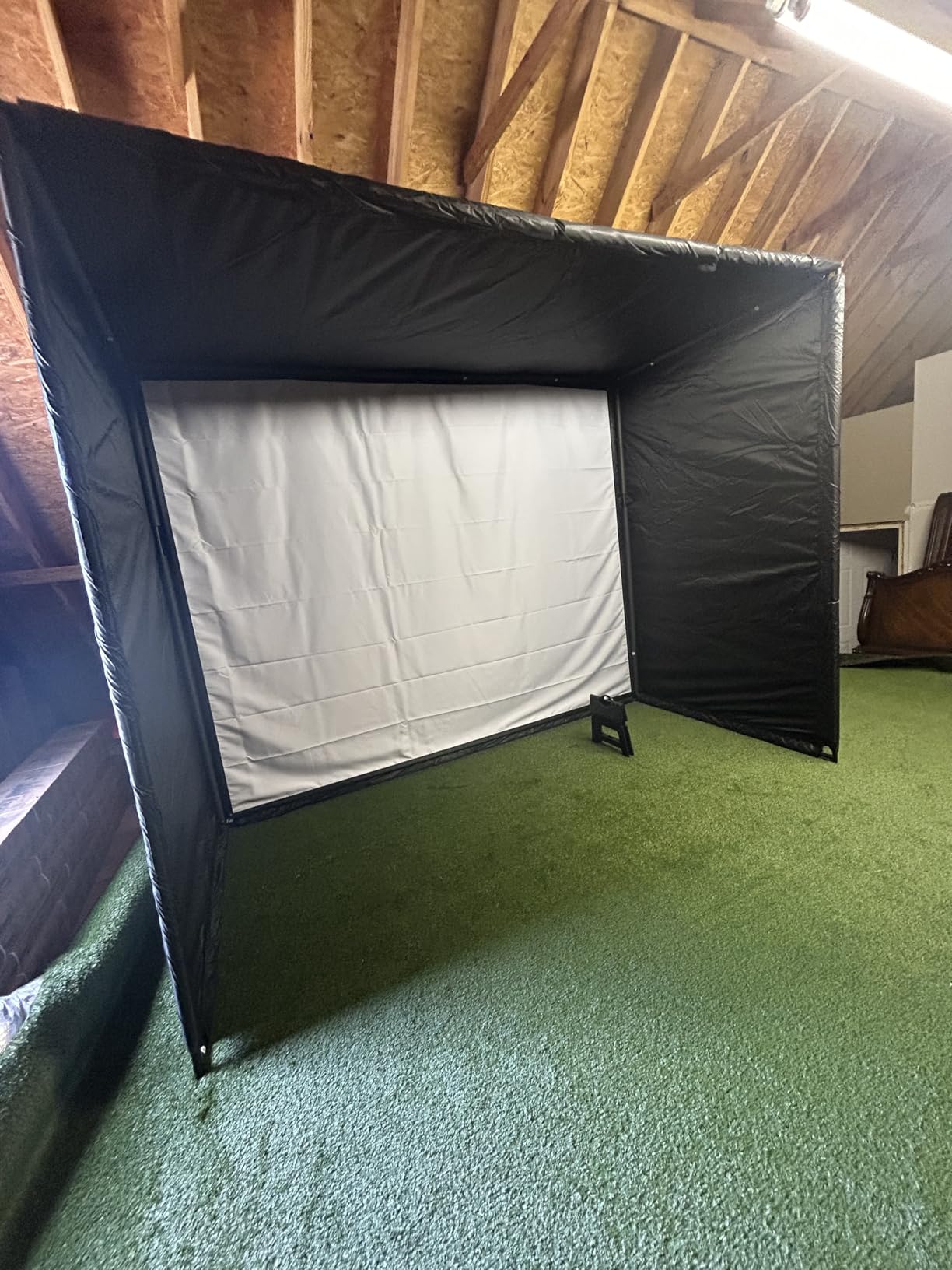
Depth under about 12 feet rules out most radar devices outright. A square footprint of roughly 10 feet by 10 feet is enough for camera systems and for the SkyTrak class. Ceilings under 9 feet generally rule out ceiling mounted and overhead designs, so keep the device on the floor or beside the ball.
Check the door swing and the garage door track before you commit. A device that cannot be positioned where the ball needs to be is the wrong device regardless of its feature list.
Radar, Camera or Overhead: Match the Technology to Your Space
Doppler radar units sit behind the ball and bounce a microwave signal off it, reading the reflected frequency change to calculate speed and launch direction. They give you the broadest metric set and they demand the most depth behind the tee. The PRGR, Voice Caddie, Stack Radar, R10 and Mevo Gen2 all fall into this group.
Camera and photometric units photograph the ball at thousands of frames per second as it leaves the clubface and triangulate the flight path. They sit beside the ball, so they trade depth for width. The Rapsodo MLM works this way, and the MLM2PRO and ST MAX combine radar with cameras.
Overhead and ceiling mounted designs consume height instead of depth, which is the trade that matters in a low-ceiling room with plenty of floor. Nothing on this list is a dedicated overhead-only device, and in a room under 9 feet that is a reasonable gap.
The Metrics That Actually Change Your Swing
In priority order for a home improver: club speed and ball speed first, because they set the ceiling on every other number. Second, smash factor, because it tells you how efficiently you are delivering that speed. Third, carry distance, because it is the number you use to build your club gapping chart.
Launch angle and direction come next, because they explain why two shots at the same speed flew different distances. Spin rate and spin axis are useful but advanced; most mid-handicap golfers get more from dispersion and per club averages than from chasing a launch window they cannot reproduce.
Skip anything that does not report carry distance reliably, and always verify a new device against a laser rangefinder on the same day you set it up. A wrong elevation setting or an unmarked ball will cost you a season of practice if you do not check.
Subscription Math: Hardware Is the Smaller Half
Before you commit, add three years of membership cost to the hardware price and ask whether the total still makes sense to you. Over a typical three year ownership window, several annual memberships on this list add up to more than the device itself.
Devices with no ongoing fee are the PRGR HS 130-A, the Voice Caddie SC200Plus and the FlightScope Mevo Gen2, which includes eight E6 courses for life. Devices that need a subscription for simulation content include the Garmin R10 and R50, the MLM2PRO, the ST MAX and the Uneekor with third party suites.
Ask one question: will you hit balls into a net most weeks, or play virtual courses most weeks? The first answer means ignore the subscription entirely. The second means compare three year totals before choosing.
Setup Mistakes That Make Any Monitor Read Wrong
Lighting is the biggest one. Camera systems need even illumination across the hitting area, and mixed light with hard shadows causes missed shots that look like a broken device. Add a work light rather than blaming the sensor.
Second, metallic net poles and hard hardware inside the radar reading zone bounce the signal and corrupt readings. Move the device away from metal before returning anything.
Third, ball placement. Several devices here have small or unforgiving hitting zones, and the fix is a tee that holds the ball in one repeatable spot. Fourth, pressure and elevation settings on any unit with a barometer or manual elevation input. Fifth, mixing marked and unmarked balls on a spin-reading system.
Sharing One Setup Between Two Golfers
Set a height convention for the tee and keep it. Different golfers hitting from different heights produce ball start conditions the sensor cannot correct for, and it quietly corrupts everyone's data in the session.
Check multi-device support before you buy. The FlightScope Mevo Gen2 allows only one connected device at a time, which makes sharing between family members difficult, while its multi cam feature accepts up to three mobile devices and the R50 supports virtual rounds for up to four players.
When to Skip a Launch Monitor Entirely
If your room cannot give you a repeatable ball position and enough clearance for a full swing, fix the room first. A monitor in a space that forces you to swing short will report numbers for a swing you would never play.
Skip the purchase entirely if you practice fewer than two or three times a week, or if your real goal is short game and putting, since most launch monitors read only a minority of putts and delicate chips reliably. In that case a putting mat and a wedge trainer will serve you better.
Frequently Asked Questions
What is the minimum space needed for an indoor golf simulator?
For most home setups, plan on at least 10 feet by 10 feet of clear space to swing naturally, plus room behind the net. Radar devices that sit behind the ball need roughly 8 feet of depth behind the tee, while camera based systems need width beside the ball instead. A two-car garage bay is workable with optical units and tight but possible with radar.
Is a 12x12 room big enough for a golf simulator?
Yes for camera-based and photometric launch monitors, no for most radar units. Devices that sit beside the ball, such as the Rapsodo MLM, fit comfortably in a 12x12 bay, and the SkyTrak ST MAX is rated for about 10 feet by 10 feet. A radar unit behind the tee needs closer to 15 feet of depth to produce reliable readings.
Is a 15x15 room big enough for a golf simulator?
And yes, it is the point where radar options open up. With 15 feet of depth you can place a radar unit behind the ball and still have a workable swing area in front of it, which brings the Garmin R10, the PRGR HS 130-A and the Voice Caddie SC200Plus into range. Check ceiling height too, since overhead mounting generally needs 9 feet or more.
Is an 8 ft ceiling enough for a golf simulator?
An 8 foot ceiling rules out most ceiling-mounted and overhead devices, which typically need 9 to 10 feet of clearance. Floor-standing radar units and side-mounted camera systems work fine at that height as long as the ball flight does not reach the ceiling for longer clubs. Check the tee position specifically, since sloped ceilings are often lowest right above the impact area.
Is the Garmin R10 or Rapsodo MLM better for home use?
The Garmin R10 wins on accuracy and indoor flexibility, with published tolerances of plus or minus 1 mph on ball speed and plus or minus 1 degree on launch angle and direction, plus per club training mode and dispersion charts. The Rapsodo MLM wins on room tolerance and video, since it sits beside the ball and works in a tight bay, but it has no spin rate and runs on iOS only.
Is there a cheaper alternative to TrackMan?
Yes, and the gap has narrowed dramatically. The Rapsodo MLM2PRO reads spin rate, spin axis and club path with a dual camera and radar system, while the Garmin Approach R10 tracks launch angle, launch direction and spin. Devices with no ongoing fee such as the PRGR HS 130-A and the FlightScope Mevo Gen2 deliver speed, launch and distance data with no subscription attached.
Do golf launch monitors need a subscription?
Some do, and it varies by model. The Garmin R10 and R50 gate virtual course play behind a Garmin Golf membership, the MLM2PRO includes 30,000 plus courses with a Premium membership, and the SkyTrak ST MAX includes one year of software before the subscription applies. The PRGR HS 130-A, the Voice Caddie SC200Plus and the FlightScope Mevo Gen2 carry no recurring fee.
Is SkyTrak or FlightScope better for a home simulator?
FlightScope is better if you refuse to pay a recurring fee, since the Mevo Gen2 includes 8 E6 Connect courses with lifetime ownership and 18 data parameters. SkyTrak is better if you want guided structure, with built in speed drills plus Skills Assessments, Bag Mapping and Wedge Matrix modes. SkyTrak has a smaller hitting zone and more no-reads, while FlightScope setup is harder.
Which Home Launch Monitor Should You Buy?
If your room is tight and you use an iPhone, the Rapsodo MLM is the best golf launch monitor for home use in 2026, and it comes with the widest metric set in this comparison. It sits beside the ball, needs the least floor space of anything here, and gives you launch angle, carry distance, shot shape and tracer video that makes faults obvious.
If you have 15 feet of depth or more and want the tightest accuracy in the mid-range, the Garmin Approach R10 is the one. Its published tolerances on ball speed, launch angle and launch direction are the most credible spec claims in this group, and training mode with dispersion charts will restructure your practice.
If you only care about getting faster, the PRGR HS 130-A costs almost nothing in effort. It measures club head speed with or without a ball, needs no app, and stores 500 swings so you can watch the number move over a month of work.
The Stack Radar is the other option worth calling out here. It carries the highest average rating in this comparison and adds wedge and putting practice apps, though those two apps are limited to iOS devices.
If you want spin rate, spin axis and club path at a lower outlay, the Rapsodo MLM2PRO is the value pick, and you need to commit to using its marked balls and to troubleshooting its connection now and then.
If you refuse to pay a subscription, the FlightScope Mevo Gen2 includes 8 E6 courses for life and reports 18 parameters, while the Voice Caddie SC200Plus does the same job for speed and tempo with voice feedback and no software at all.
If you are building a full simulator room with a gaming PC, the Uneekor EYE MINI CORE reads any ball without stickers and works with GSPro, E6 Connect, TGC19 and Creative Golf 3D, while the Garmin Approach R50 is the choice when you want a ten inch touchscreen and HDMI output driving a projector.
Whichever you choose, measure the room first, verify carry distance against a laser on day one, and add three years of any membership to the hardware cost before you commit. Then go hit balls.