
Short answer: the Synology DiskStation DS223j is the best NAS enclosure for beginners in 2026, because its browser-based setup walks a first-time owner from bare drives to an automated phone backup without touching a terminal. I have installed, rebuilt and lived with more of these boxes than I can count, and the pattern holds: the beginner-friendly NAS is rarely the most powerful one, it is the one that survives contact with a non-technical family member.
Here is the thing nobody tells you at the start. A NAS enclosure is just an empty box. It arrives with no hard drives, no storage and no operating system image preloaded onto anything useful. You supply two or more SATA drives, slide them into the bays, plug one Ethernet cable into the back of your router, and open a web browser. Everything after that is software, and software is where most beginners either relax or give up.
That is why the eleven boxes below are ranked on setup friction first and specification sheet second. A quad-core processor means nothing if your spouse cannot get the photo app to open. I weighed each one against the same criteria: how long the first boot takes, whether a phone backup starts on day one, whether the documentation answers the question you actually have, and whether the machine still feels fast two years later.
Throughout this guide I break down what a diskless NAS enclosure really is, which RAID level you should pick (and why RAID is not a backup), how operating systems differ across Synology DSM, QNAP QTS, Asustor ADM and UGREEN UGOS Pro, and what a first backup looks like from unboxing to a finished file library. Every enclosure listed is diskless, so plan to add drives to whatever you choose.
Two quick rules before you start shopping. First, buy NAS-rated drives rather than whatever desktop drive is on sale, because the two are built for different workloads and vibration profiles. Second, add a UPS to your budget on day one, not after the first power cut takes a RAID array offline mid-rebuild. Both additions protect the thing you are actually buying: the data.
Our Top 3 Tested NAS Enclosures for First-Time Buyers
We narrowed eleven candidates down to three standouts. The DS223j wins on setup simplicity, the UGREEN DXP2800 wins on hardware headroom for the money, and the Synology DS223 wins as the balanced step-up with a metal chassis and upgradeable memory.

Synology DiskStation DS223j
- Easiest browser-based setup
- Synology Photos phone backup
- 1GB fixed memory

UGREEN NASync DXP2800
- Intel N100 with 8GB DDR5
- Two M.2 NVMe slots
- Docker and virtual machines

Comparing the Best NAS Enclosures for Beginners in 2026
This table is the fast version. Every enclosure here is diskless, meaning drives are sold separately, and every one supports a RAID 1 mirror with two bays, which is the configuration we recommend for a first build.
| Product | Highlights | Action |
|---|---|---|
| Synology DiskStation DS223j |
|
Check Latest Price |
 UGREEN NASync DH2300 UGREEN NASync DH2300 |
|
Check Latest Price |
| Synology DiskStation DS223 |
|
Check Latest Price |
 TerraMaster F2-425 TerraMaster F2-425 |
|
Check Latest Price |
 Asustor Drivestor 4 Pro AS3304T Asustor Drivestor 4 Pro AS3304T |
|
Check Latest Price |
 Synology DiskStation DS225+ Synology DiskStation DS225+ |
|
Check Latest Price |
| UGREEN NASync DXP2800 |
|
Check Latest Price |
 QNAP TS-264-8G QNAP TS-264-8G |
|
Check Latest Price |
 Asustor Drivestor 2 Lite AS1102TL Asustor Drivestor 2 Lite AS1102TL |
|
Check Latest Price |
 QNAP TS-233 QNAP TS-233 |
|
Check Latest Price |
 Asustor Lockerstor 2 Gen2 AS6702T Asustor Lockerstor 2 Gen2 AS6702T |
|
Check Latest Price |
1. Synology DiskStation DS223j - The Easiest First NAS for Families
Synology 2-Bay DiskStation DS223j (Diskless)
Realtek RTD1619B quad-core CPU
1GB DDR4 memory (fixed)
2 x SATA bays
1 x 1GbE port
What we like
- Guided browser setup that most owners finish in minutes
- Excellent Synology Photos phone backup
- Very quiet in normal use
- Compact and light at 0.87 kg
What could be better
- 1GB of memory cannot be upgraded
- Only two bays with no expansion path
- No third-party app side-loading
The DS223j is the box I hand to people who tell me they are not technical. It is a small white plastic chassis that weighs under a kilogram, it ships with a single Ethernet port, and its entire configuration happens through a web page that runs in any browser. There is no install disc, no account to create with a vendor, and nothing to compile.
Owners consistently report finishing the guided setup in anywhere from ten minutes to a couple of hours, and the difference is almost always how long they spend moving existing files across rather than the hardware itself. Once the drives are in and the storage pool exists, the machine gets an IP address, and the interesting part begins.
What genuinely sets it apart for a first build is Synology Photos, the phone backup app. You install it, point it at the NAS, grant camera and photo permissions, and every new picture lands on your drives automatically over Wi-Fi. Scheduling options let you choose Wi-Fi only, which stops the backup from eating mobile data when you leave the house. In my experience that single feature is what converts a curious partner into an actual daily user, because nobody has to remember to plug anything in.
Why the 1GB memory limit matters (and when it does not)
One gigabyte of DDR4 is fixed and cannot be upgraded, and this is the specification buyers argue about most. For the workloads this box is built for, serving files, running a backup schedule, indexing a photo library and streaming one or two streams, one gigabyte is genuinely enough.
Where it shows is bulk transfer of very large video files and heavy concurrent load on the DSM interface. Owners describe the admin panel straining when several services run at once. If your plan involves containers, virtual machines or running a media server that transcodes on the fly, skip this model.
Storage, RAID and the two-bay ceiling
It takes two 3.5 inch or 2.5 inch SATA drives and supports RAID 1, SHR, RAID 0 and JBOD, with Btrfs available for snapshots. RAID 1 mirrors everything, so a copy of each file lives on both drives and a single failure does not take your data with it.
The limitation is arithmetic. Two bays give you redundancy plus whatever spare capacity you buy into, and there is no expansion path without a separate expansion chassis. If your instinct says you will end up with four drives within two years, that is exactly the group of buyers who start here and regret it, and the AS3304T further down is the more honest starting point.
Synology DSM, Plex and the things that need extra packages
DSM is one of the most approachable NAS interfaces in the category. It runs in a browser, the layout is clean, and the app catalogue is broad enough that most people never need to leave it. Plex and a media server install in seconds, and smart TVs generally pick up the device without help.
Two limits are worth naming up front. Surveillance Station and other advanced tools require additional packages and a learning curve, and the system will not side-load third-party applications outside Synology's own catalogue. Owners also report that some off-the-shelf drives outside the compatibility list are not recognised, so stick to NAS-rated models.
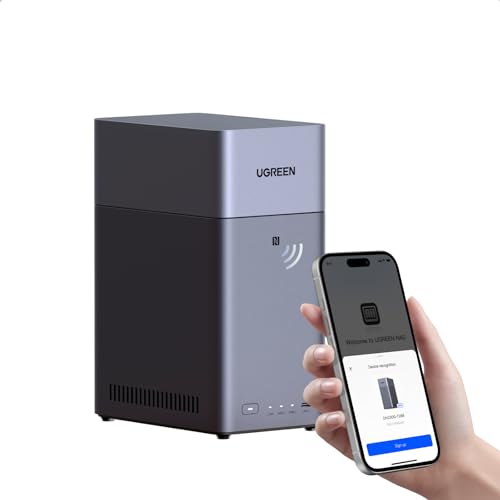
2. UGREEN NASync DH2300 - Cloud-Friendly Software With Local AI Tagging
UGREEN NAS DH2300 2-Bay for Beginners & Personal...
1GbE Ethernet up to 125MB/s
4GB on-board RAM
Up to 64TB raw capacity
Diskless 2-bay
What we like
- Interface designed for people arriving from cloud storage
- Four gigabytes of memory is generous at this tier
- Sixty-four terabyte raw capacity ceiling
- AI tagging for faces and places
- CAT 7 cable and screwdriver included
What could be better
- No Docker or virtual machine support
- Wired Ethernet only with no built-in Wi-Fi
- Manufacturer states it is not suited to server workloads
The DH2300 makes an interesting bet: assume the buyer has never touched a network device and design the whole thing around that assumption. Where Synology gives you a desktop full of icons, UGREEN gives you a guided path through storage, backup and photo organisation. For someone leaving Google Photos or iCloud, that is a much shorter mental distance.
Four gigabytes of on-board memory is the quiet headline here. Nearly every competing entry enclosure ships with one or two gigabytes of fixed memory, and having four removes a whole category of complaint about multi-user performance and background indexing.
AI photo organisation that runs on the box
The photo app tags faces, locations, text and objects automatically, then removes duplicates. It is local processing rather than a call out to a cloud service, which matters both for privacy and for the fact that it keeps working when your internet does not.
Group searches by person are the feature families mention most. If your reason for wanting a NAS is a decade of photos spread across three phones and a laptop, the tagging is what makes the library usable rather than merely stored.
What you give up: containers, virtual machines and Wi-Fi
UGREEN is explicit that this is a personal and content-creator device, not a server platform. There is no Docker support, no virtual machine manager and no SAN Manager. Plex therefore cannot be run through a container, so media serving is limited to what the built-in apps provide.
Connectivity is wired Ethernet only. The transfer ceiling is quoted at up to 125MB/s on a gigabit port, which is the real-world maximum for that standard, and you would need an external USB adapter for Wi-Fi. In the box you get a CAT 7 cable, a power adapter, screws, a screwdriver and a quick start guide, so you have everything except drives.
Capacity ceiling and RAID options
It holds two SATA drives up to 32TB each, giving 64TB of raw capacity before formatting, and supports RAID 0, RAID 1 and JBOD. Two-factor authentication, permission controls and encrypted transfers are all present, along with TRUSTe and TÜV SÜD ETSI EN 303 645 certification.
For a household that wants one copy of everything plus a mirror, RAID 1 here is the right setting and takes a few minutes to configure from the mobile app. A two-year manufacturer warranty covers the enclosure.
3. Synology DiskStation DS223 - The Balanced Metal-Chassis Upgrade
Synology DS223 Home & Office Backup Hub...
AMD Ryzen V1500A dual-core 2.0 GHz
2GB ECC DDR4 upgradeable to 6GB
Dual 1GbE ports
What we like
- Metal chassis with hot-swap bays
- Memory is upgradeable unlike entry models
- Dual network ports allow link aggregation
- Runs the same friendly DSM interface
- Two-year warranty
What could be better
- Only two drive bays with no in-box expansion path
- Modest dual-core processor by newer standards
- Third-party applications cannot be side-loaded
The DS223 is the step up from the entry tier, and the difference is physical before it is technical. The chassis is metal rather than plastic, the drive trays slide out hot, and the memory is real ECC RAM in a socket you can reach. It weighs about 1.28 kg and measures 9.15 inches deep, so it is still a desktop box, just a sturdier one.
Inside sits an AMD Ryzen V1500A dual-core running at 2.0 GHz, which is a modest chip by current standards, paired with 2GB of ECC DDR4 that you can later upgrade to 6GB. That upgradeability is the headline: entry models solder their memory down, and this one lets you add capacity as your workload grows.
Two network ports and what link aggregation is actually for
Two 1GbE RJ-45 ports is unusual in a two-bay enclosure, and they can be combined for link aggregation on a compatible switch. The honest caveat: aggregation does not double your file transfer speed on a single client, it mainly helps when several devices are streaming at once.
For a first build, the second port is more valuable as a failover. If one cable, switch port or wall jack fails, the enclosure keeps serving. That kind of redundancy is invisible on a specification comparison and quietly useful on a Tuesday evening when the media server will not come up.
Storage features: RAID, Btrfs and iSCSI snapshots
It supports RAID 1, SHR, RAID 0 and JBOD, and runs Btrfs with iSCSI snapshots, which means you can snapshot a shared folder before a risky operation and roll it back if something goes wrong. Two USB 3.2 Gen 1 ports handle an external drive for offsite copies.
Hot-swap trays mean you can pull a failed drive, replace it and rebuild without powering the unit down. Rebuilds on two large drives still take many hours, so the real protection is a separate backup, not redundancy alone.
Who should choose this over the DS223j
Choose the DS223 if you already know you will push a lot of data through the box, want ECC memory, or plan to keep it for many years. Choose the DS223j if you want the smallest, quietest, lightest option and your files are mostly photos and documents.
The shared limitation of both Synology boxes is the two-bay ceiling, and the software restriction that keeps biting: applications cannot be side-loaded outside Synology's package catalogue. If Docker matters to you, look at the QNAP and Asustor options later in this guide.
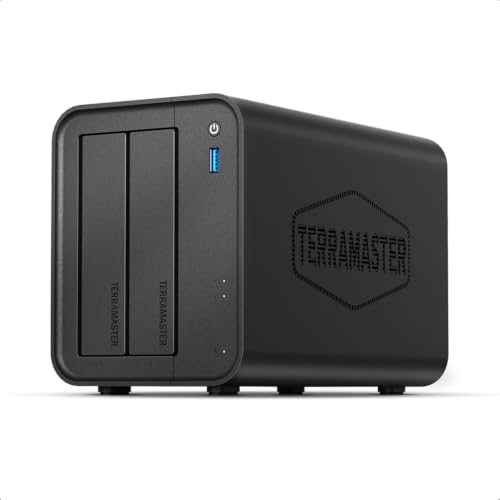
4. TerraMaster F2-425 - Intel Silicon and 2.5GbE in a Two-Bay Box
TERRAMASTER F2-425 2-Bay NAS Intel x86 Quad-Core...
Intel x86 quad-core with 4GB RAM
2.5GbE network port
Hardware 4K H.265 decoding
19dB(A)
What we like
- Intel x86 quad-core gives real headroom for transcoding
- 2.5GbE port is uncommon at this tier
- Runs at a quiet 19dB(A)
- Tool-free Push-Lock trays install drives in seconds
- Mobile app allows setup without a PC
What could be better
- Smallest review pool here at 83 reviews and a 4.2 average
- Single network port limits aggregation options
- Smaller software ecosystem than the major brands
The F2-425 is a specification-sheet bargain. An Intel x86 quad-core with 4GB of RAM and a 2.5GbE port in a two-bay plastic chassis is a combination that would have been unusual a few years ago, and the review data shows buyers noticing.
It is also the unit with the thinnest evidence base. It carries 83 reviews and a 4.2 average, with a 65 percent five-star share against an 11 percent one-star share, and that split is instructive rather than alarming. It points straight at the difference between hardware buyers and software buyers.
Intel x86 versus ARM for transcoding
The processor choice is the reason this box exists. Intel x86 silicon is what Plex, Emby and Jellyfin expect, and the hardware 4K H.265 decoding means it can stream 4K to several clients without the CPU breaking a sweat. ARM-based budget units rely on fixed-function decoders that are efficient but far less flexible with unusual codecs.
Four gigabytes of RAM is the second advantage, because transcoding and indexing both want memory to work in. If your plan includes a media server plus a couple of backup jobs, this is one of the few two-bay enclosures that handles it without straining.
2.5GbE in a single port
You get one 2.5GbE port, which is roughly double the ceiling of a gigabit connection and cut transfer times for large files substantially. You do not get a second port, so there is no link aggregation, and your switch needs a 2.5GbE port for you to see any of the benefit.
That is worth knowing before you buy a network upgrade alongside the NAS. Plenty of home routers still have gigabit LAN only, in which case this port behaves exactly like a 1GbE one. Capacity tops out at 60TB raw with two 30TB drives.
Tool-free trays, 19dB(A) and the TNAS mobile app
The Push-Lock trays take a drive in about ten seconds without a screwdriver, and the quoted operating noise of 19dB(A) makes this a realistic candidate for a bedroom or living space rather than only a cupboard.
TNAS lets you initialise and manage the enclosure from the phone, including automatic photo and video backup, so you can skip the PC entirely. TRAID arrays flex capacity in ways traditional RAID cannot, and CloudSync covers Google Drive, OneDrive and Dropbox alongside two-way TerraSync. The caveat that explains the one-star reviews is simple: the software ecosystem is smaller than what Synology, QNAP or Asustor offer, and people arriving from those brands notice immediately.
5. Asustor Drivestor 4 Pro AS3304T - Four Bays for Future-Proofing
Asustor Drivestor 4 Pro AS3304T - 4 Bay NAS...
Realtek RTD1296 quad-core 1.4 GHz
2GB DDR4 RAM
4 SATA bays to 72TB
2.5GbE, 10-bit 4K
What we like
- Four bays give the most drive headroom here
- 2.5GbE networking at an entry-tier price
- Hardware 10-bit 4K H.265 transcoding
- App Central carries over 200 apps
- Scales to 72TB with large drives
What could be better
- 2GB DDR4 memory is not upgradeable
- 1.4 GHz Realtek is the slowest processor here
- Single 2.5GbE port with no aggregation
If you think you will want more than two drives, buying two bays and adding a third and fourth later means changing the whole box. The AS3304T sidesteps that argument by starting with four bays, and it is the single change that removes the most common regret among first-time NAS owners.
It holds four 3.5 inch or 2.5 inch SATA drives and scales to 72TB with currently available large capacities. You can start with two drives in a RAID 1 mirror and add a pair when the need arrives, which is the exact expansion path the two-bay models cannot offer without a separate chassis.
Storage-first hardware with honest limits
The Realtek RTD1296 quad-core at 1.4 GHz is the slowest processor in this roundup, and the 2GB of DDR4 memory is fixed rather than upgradeable. That combination caps the box for containers and virtual machines, and several owners describe it plainly as a storage-first machine rather than a compute box.
There is a practical reason it is still appealing. Drive bays and drive count are the things you cannot add later, and CPU power is the thing you almost never exhaust with a family photo library, document backups and a media server. Owners who later want containers can repurpose the storage and run a separate machine.
2.5GbE and 10-bit 4K hardware transcoding
The single 2.5GbE port doubles the throughput of gigabit class devices when your switch supports it, and the hardware decoder handles 10-bit 4K H.265 media smoothly for Plex playback on a modern television. No link aggregation, so one port is one port.
One practical note: the headline 72TB figure assumes 18TB drives in all four bays. Buyers who have seen that number report that the real ceiling moves with whatever large capacities are available when you configure the array, so treat it as a scale reference rather than a promise.
ADM and App Central
Asustor Data Master is described by owners as one of the cleaner NAS interfaces available, and App Central carries more than 200 apps covering backup, photo galleries, cloud sync and media serving. Cross-platform multi-user access, remote access and mobile apps are all supported.
The same interface runs across the Asustor range, which means owners of the Drivestor 2 Lite report learning nothing new when they move up. Two-year warranty coverage applies.
6. Synology DiskStation DS225+ - The Longest Hardware Support Window
Synology DS225+ Private Cloud Media Server...
Intel Celeron J4125 quad-core 2.0 GHz
2GB ECC DDR4 upgradeable to 6GB
Two 1GbE ports
What we like
- DSM remains the most user-friendly NAS interface available
- Intel quad-core steps up from two-core models
- Clear migration path from older Synology hardware
- Docker and Plex run without difficulty
- Three-year warranty
What could be better
- No hardware video transcoding out of the box
- 6GB memory ceiling limits heavier virtualization
- Some third-party drives report installation problems
The DS225+ answers the question I get asked most often: which Synology will still be supported in a decade. It carries a three-year warranty, the longest in this group, and it sits on Synology's mature update path. Buyers who are storing family archives rather than a season of television usually want exactly this.
Inside is an Intel Celeron J4125 quad-core at 2.0 GHz with a 2.4 GHz burst and Intel AES-NI, paired with 2GB of ECC SODIMM memory upgradeable to 6GB. Owners moving from older Synology units report transferring data, settings and credentials without difficulty, which makes an upgrade path unusually painless.
What the Intel quad-core buys you
Going from a dual-core ARM chip to a four-core Intel Celeron is a real step up in headroom for container and background workloads, and it is the difference you feel most in indexing speed when a photo library first gets scanned. Plex including live TV and DVR runs without difficulty according to owners.
The notable absence is hardware video transcoding out of the box, which matters if you plan several remote streams or unusual formats. The processor includes Intel Quick Sync Video, and 2.5GbE is available through an optional upgrade card, so the gaps are closable with add-ons rather than a new machine.
Storage, snapshots and the drive compatibility wrinkle
Two SATA bays give up to 40TB of raw capacity, and DSM on Btrfs provides snapshots. Two USB 3.2 Gen 1 ports and two 1GbE network ports round out the connectivity, with Surveillance Station supporting up to 30 IP cameras with AI detection.
One real issue appears repeatedly in the reviews: some units arrived on older DSM firmware requiring a hard drive compatibility file before they could move to version 7.4, and a small number of owners report drives that would not complete installation until they switched to Synology-branded media. If you want to buy third-party NAS drives, check this before you commit.
Who this is for
Buy the DS225+ if the box needs to still work well five years from now, or if you want a three-year warranty on a NAS enclosure at all. The trade is a two-bay ceiling, a 6GB memory cap and no hardware transcoding until you add hardware.
Reviewers consistently place DSM above every competitor interface for first-time buyers, and that remains the core argument. Hardware specifications come and go, and the software is what your family will touch every day.
7. UGREEN NASync DXP2800 - The Most Hardware for the Money
UGREEN NAS DXP2800 2-Bay for Advanced Home Users...
Intel N100 quad-core
8GB DDR5 on board
2 HDD bays plus 2 M.2 NVMe slots
2.5GbE
What we like
- Largest review base here at 918 with a broad owner community
- Intel N100 and 8GB of DDR5 handle transcoding and AI workloads
- Dual M.2 NVMe slots for cache or app storage
- Aluminum chassis feels premium
- 2.5GbE plus 10Gbps front USB ports
What could be better
- Documentation is the most repeated complaint of any owner
- Not truly plug-and-play and network discovery can need help
- Chassis can amplify drive vibration during heavy writes
The DXP2800 has the largest review base in this roundup, and the reason is a single observation that appears in review after review: it gives you an Intel N100 and 8GB of DDR5 where legacy brands ship a quarter of the memory and a weaker processor in plastic.
It is aimed at remote workers and creators rather than first-time casual users, and that framing shows in the specification list. Two HDD bays, two M.2 NVMe slots, 2.5GbE networking, 10Gbps USB Type-A and Type-C at the front, and support for Docker and virtual machines. Capacity reaches 80TB across the two drive bays.
Intel N100, 8GB DDR5 and dual NVMe slots
The N100 quad-core with 8GB of DDR5 is enough headroom for 4K transcoding, Plex and Immich-style photo AI workloads without breaking a sweat. The two M.2 NVMe slots are the feature owners cite as decisive, letting you run the operating system and apps from SSDs for instant responsiveness while the hard drives hold data.
Docker support fills any gap left by the app centre, which matters for anyone who wants to self-host services. The aluminum chassis feels substantial in the hand at 2.58 kg, and a magnetic mesh filter over the fan outlet makes dust cleaning trivial.
The documentation problem, stated plainly
Owners rate the hardware highly and the setup manual poorly. Multiple reviewers ask UGREEN to ship a layman-friendly guide, and the support search frequently returns terse not-found errors. This is not plug-and-play in the way the DS223j is, and several people explicitly recommend getting help with initial network discovery or using an AI assistant to get through it.
Other reported niggles are physical rather than conceptual. The chassis can amplify drive vibration during heavy sustained writes with a large media library, which silicone mat or felt pads resolve, the rear fan needs periodic cleaning, the HDMI port is a streaming output with no on-device interface, and the native music app is described as so-so enough that owners run Jellyfin through Docker instead.
AI photo and surveillance features
UGOS Pro includes local AI photo management for people, objects, scenes and locations with duplicate detection, plus AI surveillance with face recognition, people detection and pet detection. Because it runs on the box, there is no cloud dependency for tagging.
That is a genuinely differentiated package for a private cloud, and it is the reason this enclosure appeals to privacy-minded households. The two-year manufacturer warranty is the same length as most of the field.
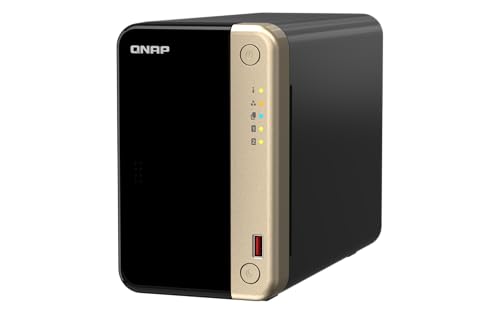
8. QNAP TS-264-8G - The Enthusiast Favourite with NVMe Caching
QNAP TS-264-8G-US 2 Bay Desktop NAS
Intel Celeron N5095 quad-core to 2.9GHz
8GB DDR4 across two slots
Dual 2.5GbE
2 M.2 NVMe slots
What we like
- Dual 2.5GbE ports are a genuine step up from older QNAP models
- Eight gigabytes of RAM included as standard
- Two NVMe slots plus a PCIe slot accepting 10GbE
- QTS runs smoothly with a broad app catalogue
- Hot-swappable drive bays
What could be better
- Persistent fan buzz reported on the QNAP forum
- Windows network discovery often fails to show the unit
- N5095 cannot handle heavy transcoding
The TS-264 is the box homelab people recommend when someone asks which NAS can grow with them. It pairs an Intel Celeron N5095 quad-core that bursts to 2.9 GHz with 8GB of DDR4-3200 across two slots, recognises up to 32GB in practice, and adds two M.2 PCIe Gen3 x2 NVMe slots plus a PCIe expansion slot that accepts a 10GbE card.
That combination is genuinely future-proof in a way the other two-bay boxes are not. When 10GbE becomes normal in home networks, this enclosure has a slot waiting for it.
Dual 2.5GbE and what you can build with them
Two 2.5GbE ports can be combined for roughly 5GbE to a compatible switch, and multiple USB 3.2 Gen 2 Type-A ports run at up to 10Gb/s for fast external drives and expansion enclosures. Hot-swappable bays make drive changes painless, and Qfinder Pro gets the unit online quickly.
The NVMe slots take SSDs for cache acceleration or as separate storage pools, which is the fastest way to make a four-disk array feel instant when browsing tens of thousands of files. QTS is the operating system, with optional QuTS Hero adding ZFS for people who want it.
The two complaints you should expect
Fan noise is the most serious recurring issue. Owners on the QNAP forum describe a constant buzz on this series, and some replace the stock fans with Noctua units to live with it in a study. Removing the front panel is reported to run the unit about 5 degrees cooler, which points at airflow as the root cause.
Second, Windows File Explorer network discovery frequently fails to list the NAS even with SMB, firewall and discovery settings configured correctly, and Qfinder Pro becomes the workaround. The N5095 also cannot manage heavy transcoding: DTS 5.1 streams reportedly play for about forty seconds before locking up, so treat this as a direct-play and storage-first box rather than a transcoding powerhouse. Documentation is thin for troubleshooting, and the power supply is an external 12V brick rather than an internal unit.
For a beginner who will genuinely use containers or virtual machines, this is a strong pick with a three-year warranty. For a family photo library, the noise and the setup hurdles are real costs for capability you may never touch.
9. Asustor Drivestor 2 Lite AS1102TL - Quiet, Simple and Lightweight
Asustor Drivestor 2 Lite AS1102TL, 2 Bay NAS...
Realtek RTD1619B quad-core 1.7GHz
1GB DDR4
1GbE Ethernet
Tool-free drive install
What we like
- Only 5 percent one-star reviews across its rating spread
- Tool-free drive installation in seconds
- Compact 800 gram metal chassis that stays silent
- Three-year warranty with spare parts
What could be better
- Only 1GB of memory and it is fixed
- Single 1GbE port with no 2.5GbE option
- Processor struggles when streaming while a backup runs
The AS1102TL is a straightforward entry into Asustor's ADM ecosystem, and its star distribution is the most even in this roundup: 67 percent five-star, 19 percent four-star and only 5 percent one-star. Very few buyers are unhappy, and the ones who are unhappy are unhappy about the same thing.
It ships with a Realtek RTD1619B quad-core at 1.7GHz, 1GB of DDR4 and a single 1GbE port, all in an 800 gram metal chassis with tool-free drive installation. Multiple owners report being up and running within minutes, with drives recognised immediately on the network.
What 1GB of memory actually limits
One gigabyte is one of the smallest memory pools here and it is fixed. For a single household running backups and light streaming, that is workable, and one owner replaced 20TB Seagate drives with no recognition issues and has run the unit for months without attention.
The limitation shows under concurrency. Owners note the processor struggles when watching a movie while a backup runs, which is exactly the scenario a family with a busy laptop hits on a Sunday afternoon. If you are the only heavy user, the AS1102TL is a genuinely good box for the money.
Snapshots, RAID flexibility and the same interface as the bigger models
Btrfs and iSCSI snapshots are supported, along with Wake on LAN for waking the unit when a device on the network asks for it. RAID 0, 1, 5, 6 and 10 are all available, plus mixed RAID and MyArchive volumes, which is unusually broad for an entry enclosure.
App Central bundles cloud sync to Amazon S3, Azure and Google, a photo gallery, music sharing and VPN hosting. The three-year manufacturer warranty is longer than most competitors in this group, with spare part availability quoted at three years. Thin documentation and a shipped manual referencing a previous software version are the recurring gripes, along with the absence of a session timeout or auto-lock, which means limited re-authentication after idle time.
10. QNAP TS-233 - The Simple Door into Full QTS
QNAP TS-233-US 2 Bay Affordable Desktop NAS with...
ARM Cortex-A55 quad-core 2.0GHz
2GB DDR4 up to 4GB
1 x 1GbE RJ-45
USB 3.0 + 2 x USB 2.0
What we like
- Entry point into the full QTS ecosystem without enthusiast hardware
- Metal chassis at roughly 1kg
- Snapshots provide ransomware protection
- Hardware transcoding and AI image recognition
- Two gigabytes of memory
What could be better
- Single 1GbE port caps throughput near 125MB/s
- No M.2 NVMe slots for cache or SSD pools
- Cortex-A55 cannot manage heavy transcoding
The TS-233 exists so you can buy QNAP's full QTS software stack without committing to enthusiast hardware. It is a 2GB memory ARM box with a single gigabit port, and it carries 463 reviews at 4.4, which makes it one of the most consistently liked units in the group rather than a compromise nobody enjoys.
The processor is a 64-bit ARM Cortex-A55 quad-core at 2.0 GHz, which is efficient and silent but not a transcoding engine. Memory tops out at 4GB, and there is one USB 3.0 port plus two USB 2.0 ports. A USB 3.0 cable is included in the box.
Snapshots as the reason to pick this model
Ransomware protection is built in rather than sold separately. QNAP snapshots are read-only copies of your data taken on a schedule, so if a rogue file encrypts everything and demands payment, you roll the share back to a clean version and lose an hour of work rather than everything.
For a household that has already lost data to a drive failure, this quiet feature matters more than any benchmark. Hardware-accelerated transcoding and AI-powered image recognition are also standard, which is generous at this level, though the ARM chip handles only direct-play formats comfortably.
What you give up compared with the TS-264
Everything expansion-related. There is no M.2 NVMe slot, so no SSD caching and no fast app storage pool. There is one 1GbE port, so throughput caps at about 125MB/s and you cannot aggregate links.
The 4GB memory ceiling is the other limit, and it rules out meaningful container and virtual machine use. Metal construction at roughly a kilogram keeps it compact and well made, and the minimalist design will not stand out on a shelf.
11. Asustor Lockerstor 2 Gen2 AS6702T - Four NVMe Slots Above Two Drive Bays
Asustor Lockerstor 2 Gen2 AS6702T - 2 Bay NAS Plex...
Intel Celeron N5105 quad-core 2.0GHz
4GB DDR4 to 16GB
Dual 2.5GbE
4 M.2 NVMe slots
What we like
- Only unit here with four M.2 NVMe slots above two drive bays
- Dual 2.5GbE can aggregate to roughly 5GbE
- Reported file transfers around 280MB/s
- ADM 5 is simpler and better organised than QTS
- Broad app support for Jellyfin and Nextcloud
What could be better
- Reaching 16GB requires partial disassembly of the second RAM slot
- Weak NVMe retention clip
- Thin documentation for deeper troubleshooting
The Lockerstor 2 Gen2 is the odd one out in this list, and that is exactly its appeal. It is the only enclosure here with four M.2 NVMe slots sitting on top of two SATA drive bays, which means you can run the operating system, apps and cache entirely from SSDs and keep the hard drives purely for data.
You also get dual 2.5GbE ports, an Intel Celeron N5105 quad-core at 2.0 GHz, 4GB of DDR4 and hardware 4K transcoding with HDMI output at up to 3840x2160. Measured file transfers are reported around 280MB/s, comfortably beyond a gigabit network.
Four NVMe slots and a genuinely modern architecture
Four M.2 slots for cache acceleration or high-speed storage pools is exceptional storage and cache flexibility, and owners treat the box as a small personal datacentre. You can run the OS from a single NVMe drive, keeping the SATA bays free for data, and add pure flash pools for workloads that need them.
Docker, VirtualBox virtual machines, PHP, Perl, Python and shell scripting are all supported, alongside apps including Jellyfin, Nextcloud, Vaultwarden and nginx. Several owners describe it as decisively faster and more modern than an older four-bay QNAP, and ADM 5 is reported as better organised than QNAP's interface, booting in ten to fifteen seconds. Data stays local with no forced cloud integration, and multiple international reviewers describe the unit as silent.
The design flaw that drives the one-star reviews
This unit carries a 77 percent five-star share against a 12 percent one-star share, the widest internal spread of anything in this roundup, and the critical reviews concentrate on one specific problem: the second memory slot sits beneath the motherboard, so reaching the full 16GB requires partial disassembly. That is the most cited complaint about the AS6702T.
Other issues include a weak NVMe retention clip, thin documentation for deeper troubleshooting, and the simple fact that dual 2.5GbE does nothing on a 1GbE home network. It also costs noticeably more than two-bay Asustor alternatives, and several owners strongly recommend pairing it with a UPS.
How to Choose a NAS Enclosure Without Regretting It
Every mistake I see in first NAS purchases comes down to four decisions made in the wrong order. Bay count, processor architecture, memory and operating system, in that sequence, and nothing else on the list matters as much.
2 bays or 4 bays: the decision that costs the most to reverse
Two bays with a RAID 1 mirror is the right answer for most first-time buyers, and it is what I recommend to anyone who is unsure. It gives you one live copy and one mirrored copy, which is exactly what a family photo library needs.
The trap is assuming you can add a third and fourth drive later. You cannot, in any two-bay enclosure in this guide, without a separate expansion chassis and proprietary cabling. Many owners start with two bays and want four within two years, which means a new machine and a migration. If you have a large existing photo archive, a growing media collection, or any intention of keeping this for five years, buy four bays now and start with two drives.
CPU architecture: ARM versus Intel x86
ARM chips such as the Realtek RTD1619B, Cortex-A55 and the Synology DS223j's processor are efficient, silent and perfect for serving files and running backups. They are the right choice for a first build with modest ambitions.
Intel x86 silicon, whether an N100, N5105, N5095 or J4125, is what you want if you plan to transcode video, run containers, host a self-hosted photo service or use Docker. The direct-play shortcut that makes Plex look good in a demo depends on the client doing the work; x86 hardware decoding moves that load off the client. This is the single specification that most changes what a box can do in five years.
Memory: why 1GB hurts and 8GB opens doors
One gigabyte is the floor and it is soldered down on the DS223j and AS1102TL. Two gigabytes is adequate for backups, photo indexing and light streaming. Four gigabytes covers most homes comfortably. Eight gigabytes, as on the UGREEN DH2300 and DXP2800, is where containers and virtual machines start to feel realistic.
Check whether memory is upgradeable before you buy, not after. The DS223 and DS225+ take a single SO-DIMM, the DXP2800 ships 8GB of DDR5 that you can add to, and the TS-264 has two slots. Note that the AS6702T's second slot is buried under the motherboard, so 16GB there costs you a screwdriver and half an afternoon.
1GbE versus 2.5GbE networking
A gigabit port tops out at roughly 125MB/s in practice, which fills a modern SATA drive but leaves NVMe and SSD arrays waiting. A 2.5GbE port roughly doubles that ceiling to about 280MB/s, which is where the AS6702T's reported transfer speeds land.
Before you pay for a faster port, check that your router or switch has a matching port. A 2.5GbE NAS on a gigabit network performs exactly like a gigabit NAS, which is why reviewers flag the AS6702T's dual ports as wasted on older home networks. Two 2.5GbE ports also allow link aggregation, which helps with multiple simultaneous streams far more than with a single fast transfer.
RAID is not a backup
This is the misconception that costs beginners the most data, and it appears over and over in forum discussions. RAID 1 means a second copy of your file lives on another drive in the same box, in the same room, on the same power circuit. It protects against exactly one failure mode: a single drive dying.
It does not protect against accidental deletion, ransomware that encrypts both copies, a flood, a fire, a stolen unit or a power event during a rebuild. RAID 0 strips data across drives for speed with no redundancy at all and is the wrong choice for anything you care about. RAID 5 and RAID 6 tolerate two or three drive failures but require more bays and long rebuilds.
If your NAS supports SHR, it is worth the trouble for beginners, because it lets you add drives of different sizes over time without rebuilding from scratch. The rule that matters more than any RAID level: follow the 3-2-1 approach. Three copies of your data, on two different media types, with one copy somewhere physically elsewhere.
Drive choice: NAS-rated versus desktop
Yes, you can use desktop drives in a NAS. They will work. What you give up is the workload rating, the error correction control that NAS drives are tuned for, and the vibration tolerance that matters when four spinning platters share a small chassis.
Look for the NAS designation in the model number, with the common names being WD Red Plus, Seagate IronWolf and Toshiba N300. Match capacities in pairs for RAID 1, and avoid mixing a brand-new drive with one that has been running for years, because a rebuild brings years of accumulated error onto a healthy disk.
Operating systems compared: DSM, QTS, ADM, TOS and UGOS Pro
Synology DSM is the most approachable interface in the category, with the cleanest guided setup and the broadest official app catalogue, and it is the reason the DS223j takes our top spot. The trade is strict: no side-loading applications outside the Synology catalogue, and some third-party drives report installation problems.
QNAP QTS is the deepest and most demanding, with the broadest container and virtual machine support, two M.2 slots on the better models, and optional QuTS Hero for ZFS. It rewards a user who reads documentation, and it punishes one who does not, particularly around network discovery. TerraMaster TOS is a capable, improving interface with a smaller app ecosystem, and it appears here through the F2-425's mobile-first TNAS app. Asustor ADM is described by owners as modern and well organised, consistent across the range, and the least likely to intimidate a new owner. UGREEN UGOS Pro is the newest and least documented, excellent hardware wrapped in the thinnest manual of this group.
Setup, remote access and the habit that protects you
Physical setup takes about ten minutes: slide the drives into the trays, connect Ethernet to the router, power on, and open the web interface from a browser on the same network. The first boot creates a storage pool, and a RAID 1 mirror with two matching drives typically completes within an hour or two.
Then set up three things immediately. Schedule a phone photo backup. Schedule a laptop and desktop backup. And configure a second copy that leaves the house, either to an external drive you rotate or to another location. Remote access can come later, and when you do it, Tailscale or a VPN is the route most experienced owners recommend over vendor relay services, because your data stays on your own hardware.
Frequently Asked Questions
What is the best NAS device for a beginner?
The Synology DiskStation DS223j is the best NAS enclosure for beginners in most homes. Its browser-based setup guide takes a first-time owner from bare drives to an automated phone backup without a terminal, and Synology Photos handles daily photo backup in the background. Choose a two-bay enclosure with a RAID 1 mirror if your storage needs are modest, or a four-bay model such as the Asustor Drivestor 4 Pro if you expect your library to grow quickly.
Do NAS enclosures come with hard drives?
No. Every enclosure in this guide is diskless, meaning the drives are sold separately and you install them yourself. The UGREEN DH2300 is one of the few units that comes with the supporting kit in the box: a CAT 7 Ethernet cable, screws, a screwdriver and a power adapter. Plan to add two matching NAS-rated drives for a RAID 1 mirror, and check the manufacturer compatibility list before you buy third-party media.
Is RAID a backup?
No, and this is the most common misconception among first-time NAS owners. RAID 1 keeps a mirrored copy on a second drive inside the same enclosure, in the same room, on the same power. It survives one drive failure and nothing else. It does not protect against accidental deletion, ransomware that encrypts every copy, theft, flood or fire. Follow the 3-2-1 approach instead: three copies of your data, on two different media types, with one copy stored somewhere else entirely.
Can I set up a NAS as a complete beginner?
Yes. The hardware step is about ten minutes: slide the drives into the trays, run one Ethernet cable to the router, power on, and open the web interface from a browser on the same network. The rest is clicking through a guided wizard to create a storage pool. The one exception is the UGREEN DXP2800, whose owners most often report needing help with initial network discovery because of thinner documentation. Everyone else in this guide sets up unattended.
What happens if a NAS hard drive fails?
In a RAID 1 mirror, nothing is lost. The array keeps running from the surviving drive, usually with a loud alert, and you swap in a replacement of the same or larger capacity. The rebuild copies everything back and can take many hours on large drives, during which the array is degraded and vulnerable. That rebuild time is exactly why you still need an offsite copy, and why a UPS matters more than most buyers expect.
Should I buy 2-bay or 4-bay NAS for photo backup?
Buy two bays if your library is a few years of family photos and documents. Buy four bays if you have a large existing archive, plan to keep video, or expect to stay with the device for years, because two-bay enclosures cannot accept a third and fourth drive without a separate expansion chassis. The Asustor Drivestor 4 Pro AS3304T is the most direct four-bay option for beginners, and you can start it with two drives in a mirror and add a pair later.
Which NAS Enclosure Should You Buy First?
If you want the shortest path from opening the box to an automated family photo backup, buy the Synology DiskStation DS223j. It is the enclosure I recommend to anyone who describes themselves as a beginner, and it is the reason thousands of owners finished setup without opening a single support ticket.
If you want hardware that will not need replacing in a few years, the UGREEN DXP2800 gives you an Intel N100, 8GB of DDR5 and two NVMe slots, which is more memory and a stronger chip than most rivals at this size, though you should budget extra time for the documentation. For a metal chassis and memory you can upgrade later, the Synology DS223 is the balanced pick. For four bays and no future regret, go straight to the Asustor Drivestor 4 Pro AS3304T and start it with two drives.
Whichever you choose, add NAS-rated drives, add a UPS, and set up one offsite copy on the same day you finish the setup wizard. Those three habits protect more of your data than any processor on this list, and this roundup of the best NAS enclosures for beginners in 2026 will still be here when you are ready to start.


